My Web Maintenance

security

The Importance of Regular Website Maintenance

Introduction

How are you? As the owner of a website, I know how important it is to have a web presence that shows off your brand and keeps people interested. But it’s not enough to just have a website. To keep it working well and smoothly, it needs to be taken care of regularly. If you don’t keep up with website maintenance, it can lead to security holes, slow performance, and content that is out of date. That’s why I’m excited to tell you why website maintenance is so important and how a local developer can help.

In this blog post, I’ll talk about why website maintenance is important, list some common maintenance tasks, and talk about why it’s a good idea to hire a local developer to help with website maintenance. So, let’s dive in!
The Importance of Regular Website Maintenance for Online Success

How Important it is to keep up a website

A website’s long-term success depends on how well it is kept up. A website is a representation of your brand or business, and it’s often the first time a potential customer meets you. If your website is old, slow, or full of mistakes, it can give visitors a bad impression and cause you to lose potential customers.

The security of your website is one of the most important reasons to keep it up to date. With the number of cyber threats growing, it’s important to make sure your website is safe and has the latest security patches. Hackers can take advantage of security holes in old software, which can lead to data leaks, malware infections, and other problems that can hurt your business and reputation.

Another reason to keep up with your website is to make sure it works well. When a website is slow, visitors can get frustrated and leave, which makes the bounce rate go up and leads to a drop in traffic and sales. Maintaining your website regularly can help improve its performance, which can lead to faster load times, a better user experience, and a higher ranking in search engines.

Why You Should Hire A Local Developer

Why Is Website Maintenance Important? – Breate

Hiring a local developer to keep up with your website can help your business in a number of ways. Here are a few reasons why it’s good to work with a local developer:

Expertise in maintaining websites:

A local developer has experience and knowledge in maintaining websites. They have the skills and knowledge to do regular maintenance tasks like software updates, backups, and security checks. This keeps your website running smoothly and safely.

Customization and personalization:

If you work with a local developer, you can get solutions that are made to fit the needs of your business. They can help you find places where your website could be better and put in place personalised solutions that will improve your website’s performance, user experience, and ability to do what it’s supposed to do.

Communication and access:

When you work with a local developer, you can talk directly to the person who is in charge of keeping your website up-to-date. This lets you get updates on a regular basis and quick answers to any questions or worries you may have. Also, a local developer is easy to meet with in person, which makes it easier to talk about complicated issues and give feedback.

Quick response time:

A local developer can fix problems with your website quickly, which cuts down on downtime and reduces the impact on your business. They can also help you out in an emergency and fix important problems quickly, making sure that your website is up and running as soon as possible.

Why your website needs to be updated often

Maintenance is important if you want your website to work well, be secure, and be easy to use. Here are some reasons why you need to keep up with maintenance on your website:

Security patches and updates:

As part of regular maintenance, you should apply security patches and updates to the software and plugins on your website. When software is out of date, it can leave holes that hackers can use to steal sensitive data, install malware, or do other bad things. Keeping your website up-to-date helps keep it safe and stops possible security breaches.

Performance optimization:

Taking care of your website means optimizing its performance so that it loads quickly and gives users a good experience. This includes things like caching, optimizing the database, and making images as small as possible. If your website is slow, visitors may get frustrated and leave, which can hurt your search engine rankings and online visibility.

Content management:

Part of regular maintenance is making sure that your website’s content is correct, up-to-date, and relevant. This can mean making new pages, updating information about products, or putting up blog posts. Fresh, interesting content can bring people to your website, keep them there, and help it rank higher in search engines.

Website Maintenance: What Are the Advantages and Costs?

Improvements to the user experience:

Regular maintenance also includes improvements to the user experience, such as fixing broken links, making the site easier to navigate, and making sure it works well on mobile devices. A website that is easy to use can get people more interested and keep them on your site longer, which can lead to more sales and more money.

Updates to security:

Security updates are an important part of maintaining a website. They are very important if you want to keep your website safe from cyber-attacks and data leaks. Developers of software often put out security updates to fix known bugs and close security holes in their programs.

If you don’t apply these updates as soon as they come out, your website could be vulnerable to hacking attempts, malware infections, and data theft.

When a security hole is found, it can get a lot of attention, which hackers can use to attack vulnerable websites. Because of this, it’s important to get security updates as soon as possible so that your website doesn’t become a target.

Cybercriminals can sometimes use automated tools to look for websites that haven’t updated their security. This makes it easier for them to target vulnerable sites.

Also, software and plugins that are too old can cause problems with compatibility and make a website stop working or give errors. These problems can cause downtime and hurt the usability, user experience, and search engine rankings of your website. By installing security updates, you can prevent these compatibility problems and make sure that your website works and works well.

To keep your website safe, you need to work with a local developer or a reputable website maintenance service that can do regular security updates and patches. They can make sure that all of your website’s software and plugins are up-to-date, which lowers the risk of security holes and data breaches.

In short, it’s important to install security updates to keep your website safe and running well. If you don’t install these updates, your website could be open to cyber threats, data breaches, and other problems. By investing in regular website maintenance that includes security updates, you can reduce the risk of security holes, protect your business and reputation, and give your visitors a safe and interesting online experience.

Optimization of performance

Performance optimization is an important part of maintaining a website. It includes many tasks that can help your website run faster, be easier to use, and work better overall.

Here are some ways to improve your website’s performance that your local developer can use:

Caching:

Caching is the process of storing website data, like images and HTML files, that are often viewed in temporary storage or memory. This can help speed up the time it takes for your website to load and make it work better.

Database optimization:

If your databases get too big or aren’t set up well, they can slow down the speed of your website. By getting rid of unnecessary data and making the database structure better, optimizing your database can help your website run faster and work better.

Large image files can slow down the time it takes for your website to load. Your local developer can improve the performance of your website by compressing your images without hurting their quality. This will reduce the file size and speed up your website.

Content Delivery Network (CDN):

A CDN is a network of servers that can help get your website’s content to visitors faster. A content delivery network (CDN) can be set up for your website by a local developer. This can cut down on the distance and time it takes for people to access your website’s content, making your website faster and better.

Minimizing HTTP requests:

Getting your website to make fewer HTTP requests can help it load faster. Your local developer can improve the code on your website by getting rid of code that isn’t needed, compressing files, and combining multiple requests into one.

By using these performance optimisation techniques, your website will load faster and be easier to use for your visitors. A faster website can make people more interested, keep them on it longer, and help it rank higher in search engines. Improving the performance of your website can also lower the number of people who leave your site without staying and increase the number of people who stay on your site. This can lead to more sales or leads for your business.

Content management

Content management is an important part of keeping a website running. It means keeping the content on your website up-to-date and making sure it’s still useful, accurate, and interesting for your audience. Here are some ways in which your local developer can help you manage content:

Content creation: Your local developer can help you make high-quality content that is optimised for search engines and tailored to your target audience. They can help you write blog posts, product descriptions, and other website content that is interesting, informative, and relevant to your business.

Content updates:

It’s important to keep your website’s content fresh and up-to-date by changing it often. Your local developer can help you add new content, images, and videos to your website. This will keep your website fresh and interesting for your audience.

Content optimization:

Your local developer can help you make sure that the content on your website is optimized for search engines so that it can be seen by the people you want to see it. This means making sure that your website’s titles, descriptions, and meta tags are as good as they can be so that it show up higher on search engine results pages.

In short, content management is an important part of keeping a website running. By working with a local developer to manage the content on your website, you can make sure it stays up-to-date, accurate, and interesting for your visitors. By updating and optimising your website’s content on a regular basis, you can boost its visibility, search engine rankings, and overall performance, which can help your business do better online.

User experience improvements

User experience (UX) is an important part of maintaining a website. UX refers to how people interact with your website and how they feel as a whole while they’re using it. Here are some ways that your local developer can help improve your website’s user experience:

Responsive design:

Since more and more people are accessing websites on their phones, it is important to have a responsive design to make sure that your website is easy to use and accessible on all devices. Your local developer can help you make a design that works on different screen sizes and devices. This will make sure that everyone who visits your website will find it easy to use.

Navigation is an important part of the user experience. Your local developer can help you make a navigation menu that is clear and easy to use. This will make it easy for people to find the information they want on your website.

Page load speed:

If a page takes too long to load, it can ruin the user experience and make people leave your website. Your local developer can help you optimise the speed at which pages load on your website. This will make sure that your website loads quickly and efficiently.

Accessibility:

It’s important for a good user experience to make sure that your website is accessible to all visitors, including those with disabilities. Your local developer can help you make sure that your website is accessible by adding things like alt tags for images, captions for videos, and keyboard navigation.

By making your website’s user experience better, you can get more people to stay on it, reduce the number of people who leave right away, and improve your website’s overall performance. A good user experience can also lead to more conversions and sales, which can help your business have a more successful online presence.

Typical maintenance jobs

It’s important to do regular maintenance on your website to keep it working, secure, and up-to-date. Here are some common maintenance tasks that your local developer can do to keep your website running smoothly:

Security updates:

Your local developer can make sure that your website’s security software is up to date, which protects your website from potential threats and holes.

Software updates:

Updating your website’s software, like your content management system (CMS) and plugins, on a regular basis can make sure that your website is using the most recent and safest version.

Backups:

It’s important to back up your website’s data on a regular basis so that you have a copy of the content and information in case your website crashes or you lose data.

Broken links and mistakes:

Your local developer can check for and fix any broken links or mistakes on your website on a regular basis, making sure that visitors can use your site without any trouble.

Performance optimization:

Improving your website’s performance, such as the speed at which pages load and the speed at which the whole site runs, can make the user experience better and help your site rank higher in search engine results in pages.

Content updates:

Adding and changing your website’s content on a regular basis can help keep it fresh, relevant, and interesting for visitors.

Analytics and tracking:

Looking at your website’s traffic and how people use it can give you valuable information about how people use your site. This lets you make decisions based on data to improve your website’s performance and user experience.

Your local developer can help keep your website safe, up-to-date, and easy to use by taking care of these common maintenance tasks. Regular maintenance can also help you avoid problems and save you time and money in the long run by letting you fix problems as soon as they show up.

Backups and contingency plans

Website maintenance isn’t complete without backups and plans for dealing with disasters. Having a backup can help you quickly get your website back to the way it was before a crash, data loss, or security breach.

Here are some important things that your local developer can help you with when it comes to backups and disaster recovery:

Regular backups:

Your local developer can help you set up and schedule regular backups of the files, databases, and other important information on your website. By making regular backups, you can make sure you have a complete and up-to-date copy of your website’s data in case something goes wrong.

Offsite backups:

Storing your backups away from your website can help protect its data in case of a natural disaster, like a fire or flood. Your local developer can help you set up and configure offsite backups to make sure the data on your website is safe and secure.

Testing your backups:

Testing your backups regularly can help you make sure they are working correctly and that you can quickly and easily restore your website in case of an emergency. Your local developer can help you test your backups and make any improvements or changes that are needed.

Plan for dealing with disasters:

If you have a plan for dealing with disasters, you can respond quickly and effectively to things like a website crash, data loss, or security breach. Your local developer can help you make a disaster recovery plan that tells you what to do in case of a disaster and what each member of your team is responsible for.

Security concerns: Backups can also be attacked by ransomware or other security threats. Your local developer can help you set up security measures like encryption, access controls, and malware scanning to keep your backups safe.

By working with a local developer to set up backups and disaster recovery, you can help protect the data on your website and make sure you can get back up and running quickly if something goes wrong. Regular backups and testing, storage off-site, and a well-thought-out disaster recovery plan can help keep your website up and running and lessen the damage from a disaster.

Updates to plug-ins and software

Updating your website’s plugins and software regularly is important for keeping your website safe, fast, and useful.

Here are some important things that your local developer can help you with when it comes to updating plugins and software:

Security updates: Updates usually include security patches that fix flaws or weaknesses that hackers could use to get into your website. Your local developer can help you make sure that the software and plugins on your website are up-to-date with the latest security patches.

Performance improvements: Updates can also improve the speed and responsiveness of your website by making changes to how it works. Your local developer can help your website run better by updating your software and plugins regularly.

Compatibility issues: Older versions of plugins and software may not work with the latest versions of your website’s CMS or other software. Your local developer can help make sure that your website’s plugins and software work with the latest versions of your CMS and other software.

Fixes for bugs: Updates can also include fixes for bugs that fix problems or glitches that could affect how well your website works. Your local developer can help make sure that the software and plugins on your website are up-to-date and have the latest bug fixes.

New features: Updates can also add new features and functions that can improve how users interact with and use your website. You can use these new features and add them to your website with the help of a local developer.

Testing:

Before updating the plugins and software on your website, your local developer can help you test them in a staging environment to make sure they don’t cause any problems with how your website works.

By updating your website’s plugins and software regularly, you can help make sure that it stays safe, works well, and gives users a good experience. Your local developer can help you keep up with the latest updates, patches, and bug fixes. They can also help you test and integrate new features and functions.

Increasing the speed of a site

Site speed optimisation is an important part of website maintenance that can have a big effect on how well your site works and how users feel about using it. Here are some important ways in which your local developer can help you speed up your site:

Image optimisation:

Images are often one of the biggest files on a website, which can make it take a lot longer for your website to load. Your local developer can help you optimise your website’s images by compressing them and reducing their file sizes without sacrificing quality.

Minification of code: When you “minify” the code on your website, you get rid of characters, white space, and comments that aren’t needed. This helps reduce the file size of the code and makes your website load faster. The HTML, CSS, and JavaScript code on your website can be made smaller with the help of a local developer.

Caching:

Caching is the process of storing data that is often used, like images and code, in a user’s browser or on a server to make it faster to load a page. Your local developer can help you set up your website’s caching settings to make it load faster.

Content Delivery Network (CDN):

A CDN is a network of servers that are spread out all over the world and can help shorten the distance between your website’s server and a user’s browser. Your local developer can help you add a CDN to your website so that people all over the world can load it faster.

Server optimization: The speed at which your website loads can also be affected by how well your server works. Your local developer can help you optimize your website’s server settings, like the time it takes for the server to respond, to make it load faster.

Testing: Your local developer can do speed tests before and after making changes to your website to make it load faster. This lets them see how much the speed has improved and if any other areas need to be optimized.

By making your website load faster, you can improve the user experience, lower the number of people who leave right away, and get more people to buy from you. To make your website load faster and work better, your local developer can help you with image optimization, code minification, caching, CDN integration, server optimization, and testing.

Broken link and error checks

Broken links and other mistakes can make it hard for people to use your website and hurt its search engine ranking. Checking for broken links and errors on your website on a regular basis is an important part of maintenance that your local developer can help you with.

Here are a few important things to know about broken link and error checks:

Broken links:

Links on your website that no longer work because the page they lead to has been taken down or because the URL has changed. Broken links can make the user experience bad and make visitors angry. Your local developer can help you figure out which links on your website are broken and fix them.

404 errors:

A user gets a 404 error when they try to go to a page on your website that doesn’t exist anymore. This can happen when a link is broken or when a page is moved or renamed without the right redirects. You can find and fix 404 errors on your website with the help of a local developer.

Form validation:

Forms on your website, like contact forms or registration forms, may have mistakes that make it impossible for users to send them. Your local developer can help you set up form validation so that users can fill out and send forms without getting errors.

Site-wide error checks: Your local developer can do regular site-wide error checks to find and fix any other errors or problems that might be affecting how your website works or how users feel about it.

By regularly checking your website for broken links and other mistakes, you can make it easier for people to use and boost its search engine ranking. Your local developer can help you find and fix broken links, 404 errors, form validation problems, and other mistakes that could be slowing down your website.

Mobile responsiveness testing

In the mobile-first world of today, it’s important for websites to be mobile-friendly. Mobile responsiveness testing is an important part of website maintenance that can be done with the help of a local developer. Here are some important parts of testing for mobile responsiveness:

Compatibility with devices: There are a lot of different mobile devices with different screen sizes, resolutions, and operating systems. Your local developer can help you test how well your website works on different mobile devices to make sure it looks good on all of them.

Design that works well on mobile devices: The layout of your website should change automatically to fit different screen sizes and orientations. Your local developer can help you implement responsive design principles to ensure that your website is mobile-friendly.

Navigation and user experience:

When it comes to a website’s navigation and user experience, mobile users have different needs. Your local developer can help you test and improve your website’s navigation and user experience for mobile users, such as where buttons, fonts, and images are placed and how big they are.

Page speed:

Mobile users expect pages to load quickly, and pages that take too long to load can cause a lot of people to leave. Your local developer can help you test and improve the page speed of your website for mobile users, such as by compressing images and reducing the amount of code.

Google’s mobile-first indexing means that it mostly looks at the mobile version of a website’s content when it comes to indexing and ranking it. Your local developer can help you make sure that your website is optimised for mobile-first indexing, such as by using structured data and optimising for voice search.

Why hiring a local developer for website maintenance can be a good idea

There are many reasons to hire a local developer for website maintenance. Here are some key advantages:

Service that is tailored to your needs:

A local developer can give you service that is tailored to your needs. They can work with you closely to learn about your business and website goals and come up with solutions that fit your needs.

Quick response times:

If you need help or support with your website, a local developer can help you right away. They can fix any problems quickly and keep your site from going down as much as possible, so it’s always up and running.

Cost-effective:

Hiring a local developer to maintain a website can be cheaper than hiring a full-time employee or sending the work to a big agency. You can get the help you need for less money, and you only have to pay for the services you use.

Local knowledge:

A local developer knows a lot about the local market and can give you advice and tips that are right for your area. They can also help you improve the visibility of your website in local search results by giving you local SEO services.

Long-term relationship:

A local developer can work with you for a long time and help you with your website in the long run. They can help you come up with a full maintenance plan and keep your website running at its best with regular updates and optimisations.

Overall, hiring a local developer to maintain a website can give you personalised service, quick responses, low costs, local knowledge, and a long-term relationship. You can make sure your website is well-kept and set up for success by working closely with a local developer.

Knowledge of how to keep a website running

To keep your website up-to-date, secure, and running at its best, you need to know a lot about how to maintain it. Here are some of the most important areas of website maintenance that your local developer can help you with:

Technical knowledge: A local developer knows a lot about HTML, CSS, JavaScript, PHP, and other website technologies. They can fix technical problems, improve how well your website works, and make sure it meets current web standards.

Security: Your website and its visitors need to be safe from cyber threats, so website security is very important. To protect your website from attacks, your local developer can set up security measures like SSL certificates, firewalls, and malware scanning.

Managing your website’s content is important if you want to keep people interested and move up in the search engine rankings. Your local developer can help you update your content, add new pages, and make sure your content is SEO-friendly.

Search engine optimisation, or SEO, is very important if you want your website to show up higher on search engine results pages. Your local developer can help you with SEO by adjusting your website’s structure, content, and metadata to make it more visible to search engines.

Backup and disaster recovery: If you want to protect your website in case of an outage or data loss, you need to back it up often and have a plan for what to do in case of a disaster. Your local developer can set up backup and disaster recovery plans for your website to make sure it is always safe.

By hiring a local developer who knows how to maintain websites, you can make sure that your site is always up-to-date, safe, and running at its best. They can help with technical issues, security, content management, search engine optimisation, backup and disaster recovery, and more. With their help, you can keep up a website that keeps people interested, helps your search engine ranking, and helps you reach your business goals.

Customizing and making something unique

Customization and personalization are important parts of website maintenance that can help users have a better experience and become more involved. Here are some ways your local developer can help you customise and personalise:

Customized design: Your local web developer can make a website that is unique to your brand and business goals. They can make a design that is different from anything else on the market and gets the attention of your target audience.

Personalized user experience: Your local developer can change how people use your website by looking at how they use it and what they like. They can give each user recommendations, promotions, and content that appeals to them, which makes users more interested and increases the number of sales.

Customized features: Customized features on your website can make the user experience better and give your website unique features that make it stand out. Your local developer can make custom features for your business, like interactive maps, online booking systems, and social media integrations.

Personalized content: Your local web developer can make the content of your website more relevant to your target audience by making it more personal. They can give personalised suggestions, blog posts, and videos that meet the needs and interests of individual users.

Customized analytics: Your local developer can provide customised analytics that help you to better understand user behaviour on your website. They can look at data to find places to improve and give personalized suggestions to make the user experience and engagement better.

Overall, customization and personalization are important parts of website maintenance that can help improve user experience and engagement. By working with a local developer, you can make a website that fits your brand, has unique features, and keeps your target audience interested.

Talking and being able to reach

Effective communication and accessibility are important parts of website maintenance that can help improve the user experience and make sure that your website meets the needs of all visitors. Here are some ways your local developer can help with communication and access:

Accessibility:

Your local developer can make sure that everyone, even those with disabilities, can use your website. They can add things like alt tags for images, keyboard navigation, and audio descriptions for videos so that everyone can use your website and navigate it.

Responsive design: If your website has a responsive design, it will work on all devices, like phones, tablets, and desktop computers. Your local developer can make sure that your website is optimised for all screen sizes, so that visitors can use it on any device.

Tools for communication:

Your local developer can give you communication tools like live chat, email forms, and social media integrations to make it easier for you and your website visitors to talk to each other. These tools can get your users more involved and help you get closer to your customers.

Support for multiple languages: If your business serves people from all over the world, offering support for multiple languages can help improve the user experience and get more people involved. Your local developer can offer multilingual support, such as translation services, to make sure that people from all over the world can use your website.

User testing:

Doing user testing can help you find ways to make your website more accessible and easier to understand. Your local developer can do user testing and give you personalised suggestions on how to improve your website’s user experience and communication.

Overall, good communication and accessibility are important for website maintenance because they make sure that everyone can use your site and interact with it. Your local developer can add accessibility features, responsive design, communication tools, support for multiple languages, and user testing to improve the user experience and make sure that your website meets the needs of all visitors.

Quick response time

Quick response time is an essential factor in website maintenance that can help to improve user experience and prevent potential problems from turning into major issues. Here’s how your local developer can help with quick response time:

Timely updates:

Your local developer can make sure that your website is regularly updated with the latest security patches, bug fixes, and feature enhancements. Updating your website at the right time can help you avoid problems and make sure it works well.

Regular maintenance:

Plugin updates, performance optimisation, and content management are all examples of regular maintenance that can help make sure your website runs smoothly and efficiently. Your local developer can do regular maintenance on your website to stop problems from happening and keep it up-to-date.

Monitoring and alerts: Your local developer can monitor and send you alerts to find problems before they get too big. They can set up automated tools to keep track of how well a website works and send alerts when there are problems that need to be fixed.

Support 24 hours a day, 7 days a week: Your local developer can help you with any problems at any time of day or night. This can help keep your website from going down and make sure that visitors can always get to it.

Proactive approach: Your local developer can take a proactive approach to website maintenance, making sure that any potential problems are fixed before they become big ones. This can help keep your website from going down and make sure it is always working at its best.

Overall, quick response time is an important part of website maintenance because it makes sure that any problems are dealt with quickly and effectively. Your local developer can make sure that your website is always running smoothly and efficiently by giving you timely updates, regular maintenance, monitoring and alerts, support 24 hours a day, 7 days a week, and a proactive approach.

Things to think about when picking a local developer

It’s important to find the right local developer for your website maintenance needs if you want to make sure your site works well. When choosing a local developer, here are some things to think about:

Expertise and experience: Look for a developer who has the knowledge and experience to maintain your website. Check their portfolio and reviews to make sure they have a history of maintaining websites well.

Communication and accessibility: Make sure that your local developer has good communication skills and is easy to reach. Look for a developer who is available to answer your questions and worries and who keeps you up-to-date on the maintenance of your website.

Services: Think about the specific services your local developer offers and make sure they meet your needs for website maintenance. Look for a developer who can do a variety of things, such as security updates, improving performance, managing content, and making the user experience better.

Cost and pricing model: Think about how much it will cost to maintain your website and how your local developer charges. Look for a developer whose prices are clear and who offers flexible pricing plans that fit your budget and the way you want to maintain your website.

Support and backup: Make sure your local developer offers support and backup services 24 hours a day, 7 days a week. This will make sure that your website is always online. Look for a developer who offers regular backups and disaster recovery services to make sure that your website’s data is safe and secure.

Reputation and references: Find out how well-known your local developer is and ask some of their past clients for references. This can help you figure out how knowledgeable they are, how long they’ve been in business, and how happy their customers are.

Overall, when choosing a local developer for website maintenance, you should look at their expertise and experience, ability to communicate and be reached, services offered, cost and pricing model, support and backup, reputation, and references. By choosing the right local developer, you can make sure that your website works well and gives your visitors a great experience.

Reputation and past work

When choosing a local developer for website maintenance, you should think about their reputation and how much experience they have. This is why:

Reputation:

A local developer’s reputation is based on how well they do their job and how happy their customers are. Look for a developer who has a good reputation for maintaining websites in a good way. Check reviews and testimonials from the developer’s past clients to find out how happy they were with their services. You can also ask other business owners or coworkers who have used website maintenance services for recommendations.

Experience:

When it comes to maintaining a website, experience is very important. An experienced local developer has the knowledge and skills to handle a wide range of website maintenance issues, such as security updates, performance optimisation, and content management. They can quickly find problems and fix them, making sure that your website works well and smoothly. An experienced developer can also give you useful tips and suggestions on how to improve the way your website works and how users interact with it.

It’s important to look at a local developer’s portfolio and track record when thinking about their reputation and experience. Check out their past work to see if they have maintained websites like yours before. If they have worked with other businesses in your niche, they may know more about the challenges and opportunities there.

If you choose a local developer with a good name and a lot of experience, you can feel confident that your website is in good hands. You can count on them to provide high-quality website maintenance services, make sure your website is up-to-date and working well, and give you helpful advice on how to improve your website’s performance and how users interact with it.

Skill set and knowledge of technology

When choosing a local developer for website maintenance, it’s important to think about their skillset and knowledge of technology. This is why:

Skillset: Maintaining a website takes a wide range of skills, such as knowledge of security, performance optimisation, content management, and user experience. When looking for a local developer, it’s important to make sure they have the skills to take care of all the different parts of website maintenance well. Look for a developer who has a lot of experience and skills in different areas of website maintenance. They should be able to quickly spot problems and come up with good solutions to make sure your website runs smoothly and efficiently.

Technology knowledge: The technology landscape is always changing, so it’s important to have a local developer who stays on top of the latest trends and technologies. They should know a lot about the tools used to build websites, like HTML, CSS, JavaScript, and PHP. They should also have worked with Content Management Systems (CMS) like WordPress, Joomla, Drupal, and Shopify. Also, they should know how to host websites and manage databases so that your website runs smoothly and without any problems.

When choosing a local developer, think about what skills they have and what they know about technology. Ask them what they know about different kinds of technology and how they keep up with the latest trends and developments. Check their portfolio and reviews to see if they have worked with similar technologies and platforms before. You can also ask for references to find out more about how good they are at maintaining websites and how long they have been doing it.

Having a local developer with a wide range of skills and knowledge of the latest technology can help your website stay competitive and work well. They can find problems and fix them quickly. They can also make sure that your website uses the latest technologies and give you useful tips on how to improve its performance and the user experience.

Pricing and packages

When choosing a local developer for website maintenance, it’s important to think about pricing and packages. This is why:

Pricing: The cost of website maintenance services can vary a lot depending on the developer’s experience, skill set, and the size of the job. Some developers charge by the hour, while others offer packages for a set price. It’s important to understand how the developer sets their prices and what services come with their package.

It’s important to find a balance between price and quality when setting prices. Even though it may be tempting to choose the cheapest option, a low-priced developer may not have the skills or experience to provide high-quality website maintenance services. On the other hand, if you only need basic maintenance services, a pricey developer may not be the best choice.

Packages: Depending on the level of service they offer, local developers may offer different maintenance packages. Some developers offer basic packages that include things like security updates, backups, and plugin updates, which are all important parts of keeping a website running. Other developers offer full packages with extra services like performance optimisation, content management, and improvements to the user experience.

When looking at packages, it’s important to pick one that fits your needs and your budget. Look for a developer who offers packages that can be changed to fit the needs of your website. A developer who offers different packages is also a good choice, since you can pick the one that fits your needs and budget.

When choosing a local developer for website maintenance, it’s important to think about how much they charge and what packages they offer. Look for a developer with clear pricing, packages you can change, and a good balance between price and quality. With the right price and package, you can get high-quality website maintenance services that keep your site up-to-date, secure, and running well.

Wrapping Up

In conclusion, regular website maintenance is important if you want your site to be up-to-date, safe, and work well. Common maintenance tasks include security updates, performance optimization, content management, user experience improvements, broken link and error checks, mobile responsiveness testing, backups, and disaster recovery.

We Fix, Host, & Maintain WordPress Websites

At mywebmaintenance.com we provide instant WordPress technical support. We also provide bespoke web hosting & expert management for thousands of WordPress websites. Use us for quick one-time fixes, or partner with us for ongoing WordPress website maintenance. Follow us on Facebook to find out where we are next.

The Importance of Regular Website Maintenance Read More »

Protecting Your WordPress Site from Spam

Spam is a common problem that affects all websites, not just WordPress sites.

However, WordPress sites are particularly vulnerable to spam attacks due to their popularity and the ease with which they can be targeted.

How spam affects WordPress sites

Spam can have a range of negative effects on your WordPress site, including:

1. Reduced User Experience:

A site that is inundated with spam comments or emails is not a pleasant experience for users. It can make it difficult for them to navigate your site and find the information they need.

2. Decreased Credibility:

If your site is filled with spam comments or emails, it can reduce its credibility in the eyes of visitors. They may question the security and legitimacy of your site and be less likely to engage with it.

3. Poor SEO Performance:

Spam can also negatively impact your site’s search engine optimization (SEO) performance. Search engines like Google penalize sites that have a high volume of spam, which can lead to lower search rankings and reduced traffic.

4. Increased Security Risks:

Spam can also pose security risks to your site. Spam comments or emails may contain links to malicious websites or contain malware that can infect your site or users’ devices.
To prevent these negative effects, it’s important to take steps to reduce spam on your WordPress site.

This includes implementing user-friendly contact forms that are designed to reduce spam.

In addition, it’s important to regularly monitor your site for spam and take action to remove it. This can involve using plugins that help you identify and remove spam comments or emails, or manually reviewing and deleting them yourself.

Understanding Spam in WordPress

How to Stop WordPress Spam: The Ultimate Guide

The different types of spam

Spam is one of the biggest issues faced by websites today. While spam can be a nuisance for many reasons, it can also pose a significant security risk to your website, making it crucial to understand the different types of spam and how to protect your WordPress site from them.

The first type of spam is comment spam. This type of spam is usually generated by bots that leave comments on your website with links to their websites.

Comment spam can be harmful as it can quickly fill up your website with irrelevant and low-quality content, making it difficult for users to engage with your website.

  • To prevent comment spam, you can use tools like Akismet or CAPTCHA to filter out spam comments.
  • The second type of spam is trackback spam.
  • Trackback spam is similar to comment spam, but instead of leaving comments, spammers leave trackbacks or pingbacks on your website.
  • These trackbacks can contain malicious links that can lead to phishing sites or malware.
  • To prevent trackback spam, you can disable trackbacks or use plugins like GASP or WP-SpamShield.
  • The third type of spam is email spam. Email spam is sent to your website’s email address and can be harmful as it can contain phishing links, malware, or viruses.
  • To prevent email spam, you can use email filters or plugins like WP-Email Guard or Postmark to protect your website’s email address.
  • The fourth type of spam is registration spam. Registration spam is when spammers create fake user accounts on your website to gain access to your website’s content or to send spam messages.
  • To prevent registration spam, you can use plugins like WPBruiser or Stop Spammers to block fake user accounts.

Common spamming techniques

7 most common types of email spam and how to identify - Gatefy

Common spamming techniques are becoming more sophisticated and more difficult to detect. The use of spamming techniques is a major concern for website owners, particularly those who use contact forms to communicate with their users.

Spamming can result in the website becoming blacklisted by search engines, which can damage the website’s reputation and lead to a decline in traffic.

In this blog, we will look at some of the most common spamming techniques and how to protect your WordPress site from them.

1. Bots and Automated Spamming

One of the most common spamming techniques is the use of bots or automated scripts. These scripts can be programmed to fill out the contact form automatically and submit it repeatedly. This can result in a large number of spam messages being sent to your website.
To protect your WordPress site from bots and automated spamming, you can use a CAPTCHA system. A CAPTCHA is a challenge-response test that is designed to determine whether the user is a human or a bot. There are several plugins available that can add a CAPTCHA to your contact form.

2. Content Spamming

Content spamming is another common technique used by spammers. This involves sending spam messages that contain links to other websites.

These links are often irrelevant to the content of the message and can lead to low-quality or malicious websites.
To protect your WordPress site from content spamming, you should use a spam filter. A spam filter can analyze incoming messages and identify those that are likely to be spam. There are several spam filter plugins available for WordPress that can help you to reduce the amount of spam that you receive.

3. Email Harvesting

Email harvesting is the process of collecting email addresses from websites and using them to send spam messages. Spammers use automated scripts to scan websites for email addresses and add them to their spam lists.
To protect your WordPress site from email harvesting, you can use a contact form plugin that does not display email addresses on the website. This can help to prevent spammers from collecting email addresses from your website.

How Spam Affects SEO

What is Negative SEO? [+ 5 Dangerous Types to Know]

Spam is an ever-present threat to any website, including those built on the WordPress platform. While there are numerous ways that spam can harm a website, one of the most significant impacts is on SEO.
Search engines use complex algorithms to determine the relevance and value of a website’s content, and spam can negatively affect these algorithms in several ways.

Here are some of the key ways that spam can impact SEO:

1. Decreased Search Engine Rankings

Search engines want to provide their users with the best possible experience, which means showing them high-quality, relevant content. If a website is filled with spam, it is less likely to be seen as a valuable resource by search engines. This can result in lower rankings and decreased visibility in search results.

2. Penalties and Blacklisting

If a website is found to be engaging in spammy practices, search engines may impose penalties or even blacklist the site entirely. This can be devastating for a website’s SEO, as it can take a long time to recover from these types of penalties.

3. Negative User Experience

Spam can also impact the user experience on a website, which can indirectly affect SEO. If users are bombarded with spammy content, they are less likely to stay on the site and engage with the content. This can result in higher bounce rates and lower engagement metrics, which can negatively impact SEO.

4. Link Spam

Link spam is a particular type of spam that is designed to manipulate search engine rankings by creating low-quality, irrelevant links to a website. This can result in penalties or even blacklisting, as search engines are becoming increasingly sophisticated at identifying and penalizing these types of practices.

The consequences of spam

Electronic spamming Stock Photos, Royalty Free Electronic spamming Images |  Depositphotos

The consequences of spam can be far-reaching and damaging to your WordPress site. Not only does it negatively impact the user experience, but it can also harm your site’s reputation, and search engine rankings, and even lead to legal issues.

One of the most significant consequences of spam is the negative impact it has on your site’s user experience. Visitors to your site may become frustrated and annoyed if they are constantly bombarded with irrelevant or unwanted messages. This can lead to a decrease in engagement and ultimately hurt your site’s overall performance.

Impacting user experience, spam can also harm your site’s reputation. If your site is known for being a haven for spam, it can quickly become blacklisted by search engines and other online services.

This can have a devastating impact on your site’s traffic, as it will be much harder for people to find your site through searches or other means.

Spam can also lead to legal issues if it violates any laws or regulations. For example, if you are sending unsolicited messages to people who have not permitted you to do so, you could violate anti-spam laws. This can lead to fines, legal fees, and even damage to your site’s reputation.
Finally, spam can hurt your site’s search engine rankings. If search engines detect that your site is filled with spammy content or links, it can negatively impact your site’s ranking in search results. This can make it much harder for people to find your site, which can ultimately hurt your business or organization.

Why contact forms are essential in WordPress

Contact forms are an essential feature of any website, particularly for WordPress sites.

  • They provide a way for visitors to get in touch with website owners or administrators and can be used for a variety of purposes, from customer service inquiries to sales leads.
  • However, contact forms can also be a target for spammers, who use automated tools to fill them with irrelevant or malicious content.
  • By providing a simple and intuitive way for visitors to get in touch, website owners can encourage feedback, questions, and suggestions from their users.
  • This can help to improve the quality of their content, products, or services, and build trust and loyalty with their audience.
  • Secondly, contact forms can be used to generate leads and sales. By offering visitors a simple and non-intrusive way to request more information or make a purchase, website owners can convert casual visitors into loyal customers.
  • However, to be effective, contact forms need to be designed with the user in mind. They should be easy to use, visually appealing, and responsive, and should offer clear and concise instructions on how to fill them out.

Finally, contact forms need to be spam-resistant. Spammers use automated tools to fill contact forms with irrelevant or malicious content, which can harm the reputation of the website and compromise the security of its users.

To prevent this, contact forms should include spam filters and validation rules, such as CAPTCHA codes or email verification, which can help to weed out unwanted submissions and protect the integrity of the website.

Key Elements of User-Friendly Contact Forms

When it comes to creating user-friendly contact forms, there are a few key elements that you should keep in mind. By incorporating these elements into your forms, you can create a better user experience for your visitors while also reducing the amount of spam that you receive.

Here are some of the most important elements to consider when creating user-friendly contact forms for your WordPress site:

1. Keep it Simple

The first rule of creating user-friendly contact forms is to keep things simple. This means limiting the number of fields that you include in your form and avoiding unnecessary clutter or distractions.
Remember, the goal of your contact form is to make it as easy as possible for your visitors to get in touch with you. So, keep things simple and streamlined, and only ask for the information that you need.

2. Make it Mobile-Friendly

With more and more people accessing the internet on their mobile devices, it’s important to make sure that your contact form is mobile-friendly. This means designing your form with a responsive layout that adapts to different screen sizes and orientations.
By making your contact form mobile-friendly, you can ensure that your visitors can easily get in touch with you no matter what device they are using.

3. Use Captcha or Other Anti-Spam Measures

One of the biggest challenges with contact forms is dealing with spam. To reduce the amount of spam that you receive, it’s important to use anti-spam measures like Captcha or other spam-blocking tools.
These tools can help to ensure that only legitimate submissions are allowed through your contact form while blocking spam and other unwanted messages.

4. Provide Clear Instructions and Feedback

Finally, it’s important to provide clear instructions and feedback to your visitors when they use your contact form. This means using clear labels and descriptions for each field, and providing feedback when a submission is successful or unsuccessful.

  • By providing clear instructions and feedback, you can help to ensure that your visitors can use your contact form effectively and get in touch with you as easily as possible.
  • By incorporating these key elements into your user-friendly contact forms, you can create a better user experience for your visitors while also reducing the amount of spam that you receive on your WordPress site.

How to optimize contact forms for a better user experience

Contact forms are an essential element of any website, particularly those using WordPress. The forms allow site visitors to reach out to the site owner, ask questions, request support, or make inquiries. However, as much as contact forms are useful, they can also be a significant source of spam.

If not adequately optimized, contact forms can become a nuisance to users, leading to an unpleasant user experience.
Optimizing contact forms for better user experience is, therefore, critical.

By doing so, you can enhance the user experience on your site, making it more user-friendly.

Here are some tips for creating user-friendly contact forms that reduce spam in WordPress.

1. Keep it simple

A contact form should be easy to navigate, with no cluttering or confusing elements. Keep the design simple, with a clear layout that is easy to understand and use. Avoid using too many fields or unnecessary information that may discourage users from filling out the form.

2. Use clear labels and instructions

The labels and instructions used on the contact form should be clear and concise, making it easy for users to understand what is required. The language should be simple and easy to understand, avoiding technical jargon that may confuse users.

3. Use CAPTCHA or reCAPTCHA

CAPTCHA or reCAPTCHA is an effective way of preventing spam on your contact form. CAPTCHA requires users to enter a code or solve a puzzle before submitting the form, while reCAPTCHA uses machine learning to identify human users and block bots.

4. Enable email notifications

Email notifications allow the site owner to receive alerts when a user submits a contact form. This ensures that no message goes unanswered, enhancing user experience and building trust between the site owner and the users.

5. Test the contact form regularly

Regular testing of the contact form ensures that it’s working as intended, with no technical glitches that may affect the user experience. Test the form by filling it out yourself or using a testing tool to identify any areas that need improvement.

Best Practices for Reducing Spam in Contact Forms

7 Proven Tips to Reduce Contact Form Spam in WordPress

Using CAPTCHA and reCAPTCHA

CAPTCHA and reCAPTCHA are two of the most effective ways to prevent spam on your WordPress contact forms.

  • CAPTCHA stands for Completely Automated Public Turing Test to Tell Computers and Humans Apart.
  • This technology uses a challenge-response test to determine whether a user is a human or a computer program trying to spam your website.
  • reCAPTCHA is a more advanced version of CAPTCHA that uses machine learning algorithms to analyze user behavior and detect spam.
  • It is designed to be more user-friendly and easier to use than traditional CAPTCHA.
  • To use CAPTCHA or reCAPTCHA on your WordPress contact forms, you will need to install a plugin that supports these technologies.
  • There are many plugins available in the WordPress repository that offer CAPTCHA and reCAPTCHA support, including Contact Form 7, WPForms, and Gravity Forms.
  • Once you have installed a plugin that supports CAPTCHA or reCAPTCHA, you will need to configure the settings to enable this feature on your contact forms.
  • This typically involves selecting the type of CAPTCHA or reCAPTCHA you want to use and adding the necessary code to your contact form.
  • When a user submits a contact form that includes CAPTCHA or reCAPTCHA, they will be prompted to complete a challenge-response test to prove that they are a human.
  • This could involve typing in a series of letters or numbers, selecting images that match certain criteria, or completing a puzzle.
  • While CAPTCHA and reCAPTCHA are effective at preventing spam, they can also be frustrating for users.
  • To minimize the impact on user experience, consider using a less intrusive form of CAPTCHA, such as a simple math problem or a checkbox that asks users to confirm that they are not a robot.

Requiring Double Opt-In

The Benefits of Double Opt-in vs Single Opt-in - MailMonitor

Double opt-in is a process that requires users to confirm their email address before they can receive any further communication from your website. This is a great way to reduce the number of spam submissions you receive through your contact forms.

When you require double opt-in, you ensure that the email address provided is valid and that the user is interested in receiving your communications.
To enable double opt-in, you will need to use a plugin that offers this functionality.
Once you have enabled double opt-in, when someone fills out your contact form, they will receive an email asking them to confirm their subscription.

They will need to click on a link in the email to confirm their email address, and only then will they be added to your mailing list.

Double opt-in is an extra step in the contact form submission process, and it may cause some users to abandon the form.

However, the benefits of double opt-in far outweigh the potential loss of some leads. By requiring double opt-in, you ensure that your mailing list only includes users who are genuinely interested in your content and who have provided a valid email address.

In addition to reducing the number of spam submissions you receive, double opt-in can also help you comply with anti-spam laws like the CAN-SPAM Act in the USA and the GDPR in the EU.

These laws require you to obtain explicit consent from users before you can send them marketing emails. By requiring double opt-in, you can demonstrate that you have obtained explicit consent from your subscribers.

Limiting Form Submissions

One of the most effective ways to protect your WordPress site from spam is to limit the number of form submissions that can be made. This can be achieved through several methods, including the use of CAPTCHAs, IP blocking, and form submission limits.

CAPTCHAs

Captcha Vector Art, Icons, and Graphics for Free Download

CAPTCHAs are a common security measure used to prevent automated form submissions. They require users to enter a series of letters or numbers that are difficult for bots to read. This ensures that only human users can submit the form.

While CAPTCHAs are effective in reducing spam, they can also be frustrating for users. To minimize this frustration, it is important to choose a CAPTCHA that is user-friendly and easy to read.

IP Blocking

Blocking Vector Art, Icons, and Graphics for Free Download

Another effective way to limit form submissions is to block certain IP addresses. This can be done using plugins or through your hosting provider’s control panel. By blocking known spammers and bots, you can significantly reduce the number of spam submissions you receive.

Form Submission Limits

Finally, you can limit the number of form submissions that can be made in a given period. This can be done using plugins or by setting limits within the form builder itself. By limiting the number of submissions, you can prevent spam bots from overwhelming your site and ensure that your form is only being used by legitimate users.

Designing with CSS

60+ Free Css & Html Images - Pixabay

Designing with CSS: Tips for Creating User-Friendly Contact Forms that Reduce Spam in WordPress
CSS or Cascading Style Sheets is a powerful tool for designing websites and creating visually appealing user interfaces. When it comes to designing contact forms that reduce spam in WordPress, CSS can play a vital role in creating a user-friendly experience for your visitors while making it harder for spammers to exploit your form.
Here are a few tips for designing contact forms with CSS that can help reduce spam in WordPress:

1. Use clear and concise labels:

When designing your contact form, make sure that you use clear and concise labels for each field. This will help users understand what information they need to provide and can also help reduce errors. Additionally, clear labels make it easier to identify if a submission is spam or not.

2. Use proper spacing:

Proper spacing between form fields can make your form look more organized and less cluttered. This can help users navigate the form more easily and reduce the likelihood of errors or confusion. Spammers often use automated tools to fill out forms quickly, so adding extra spacing can make it harder for them to do so.

3. Limit the number of fields:

The more fields on your contact form, the more likely users are to make mistakes or abandon the form altogether. Limiting the number of fields to only what is necessary can help reduce errors and make your form more user-friendly. Additionally, fewer fields make it harder for spammers to exploit your form.

4. Use visual cues:

Visual cues such as icons or color changes can help users understand what is required of them in each field. This helps reduce errors and can also make it harder for spammers to automate their submissions.

5. Use validation:

Validating user input helps ensure that the information submitted is correct and reduces the likelihood of errors or spam. You can use HTML5 validation or JavaScript validation to ensure that the information provided is in the correct format.

Creating a Unique Form Design

Beautiful Forms - Design, Style, & make it work with PHP & Ajax | The  Jotform BlogContact forms are an essential part of any website, allowing users to communicate with the website owner or administrator.
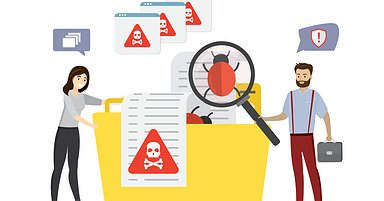

However, contact forms can also be prone to spam attacks, which can be frustrating and time-consuming to manage. To reduce spam and increase user engagement, it is essential to create a unique form design that is user-friendly and secure.
Here are some tips for creating a user-friendly contact form design that reduces spam in WordPress:

1. Keep it simple:

The simpler the form, the more likely users are to complete it. Avoid using too many fields or requiring too much information, which can be a turn-off for users. Keep the form design clean and straightforward, with clear instructions and labels.

2. Use CAPTCHA:

CAPTCHA (Completely Automated Public Turing test to tell Computers and Humans Apart) is a security measure that helps to prevent spam bots from submitting forms. It requires users to enter a code or solve a puzzle to prove they are human. CAPTCHA can be added to WordPress forms using plugins such as Google reCAPTCHA.

3. Use a spam filter:

WordPress plugins like Akismet or WP-SpamShield can help to filter out spam comments and form submissions. These plugins use algorithms to detect and filter out spam, reducing the amount of time you need to spend managing your contact form.

4. Make it mobile-friendly:

More and more users are accessing websites on mobile devices, so it’s essential to ensure that your contact form is mobile-friendly. Keep the design simple and easy to use on a smaller screen, and ensure that the form is easy to submit on a touchscreen device.

5. Test and iterate:

Once you have created your contact form, it’s essential to test it thoroughly to ensure it’s working correctly and is user-friendly. Ask friends or colleagues to test the form and provide feedback on their experience. Use this feedback to iterate and improve the design of your form.

By following these tips, you can create a unique and user-friendly contact form design that reduces spam in WordPress while increasing user engagement.

Remember to keep the design simple, use security measures such as CAPTCHA and spam filters, make it mobile-friendly, and test and iterate to ensure it’s working correctly.

Analyzing and Managing Spam

Google Spam Update Done Rolling Out

Understanding Spam Filters

Spam emails are a nuisance that has been plaguing the internet since its inception. They fill up your inbox, waste your time, and can even be harmful if they contain malware or phishing scams.

  • Spam filters are an important tool in the fight against spam, and they can help keep your WordPress site safe and secure.
  • Spam filters are designed to detect and block spam emails before they reach your inbox.
  • They use a variety of techniques to do this, including analyzing the content of the email, checking the sender’s reputation, and looking for patterns that indicate spam.
  • There are two main types of spam filters: server-side and client-side.
  • Server-side spam filters are installed on the email server and scan all incoming emails before they are delivered to your inbox.
  • These filters are generally more effective than client-side filters, as they can analyze emails in greater detail and have access to a wider range of data.
  • However, they can also be more restrictive, and may occasionally block legitimate emails.
  • What Are Email Spam Filters and Why Do You Need Them?
  • Client-side spam filters are installed on your computer or device, and scan emails as they are downloaded to your inbox.
  • These filters are less effective than server-side filters, as they can only analyze emails that have already been delivered to your inbox. However, they are more flexible and can be customized to suit your specific needs.
  • When it comes to WordPress, spam filters are typically built into contact form plugins.
  • These filters use a variety of techniques to detect and block spam submissions, including CAPTCHAs, honeypots, and content analysis.
  • It’s important to choose a contact form plugin that has strong spam filtering capabilities, as this will help keep your site safe and secure.

In addition to using spam filters, there are several other steps you can take to reduce spam on your WordPress site.

These include using a contact form plugin that requires users to confirm their email address before submitting a form, using strong passwords and two-factor authentication, and regularly updating your WordPress installation and plugins.

Analyzing Spam Data

To effectively protect your WordPress site from spam, it is important to analyze the data that you receive. This will allow you to identify patterns, trends, and potential vulnerabilities in your contact forms.
The first step in analyzing spam data is to gather it.

Once you have collected this data, you can begin to analyze it. One of the key things to look for when analyzing spam data is patterns.

Email Forensics Services in India | Cyforce

Are there certain types of spam that you receive more frequently than others?

Are there particular keywords or phrases that appear frequently in the spam messages?

By identifying these patterns, you can begin to tailor your contact forms to better protect against these types of spam.
Another important aspect of analyzing spam data is looking for trends.

Are there certain times of day or days of the week when you receive more spam?

Are there particular countries or regions that seem to be the source of the spam?

By identifying these trends, you can take steps to block traffic from those regions or adjust your contact form settings to better protect against spam during those times.
It is important to look for potential vulnerabilities in your contact forms.

Are there fields in your contact form that are particularly susceptible to spam?

Are there certain types of spam that are getting through your filters?

By identifying these vulnerabilities, you can adjust your contact form settings or add additional security measures to better protect against spam.

Managing spam comments and messages

Using Hidden Words To Avoid Instagram Spam Comments - Crystal Media

Managing spam comments and messages can be a tedious task, but it is essential to protect your WordPress site from potential security threats.

  • Spam comments and messages are not only annoying, but they can also harm your website’s reputation and compromise its security.
  • The first step to managing spam comments and messages is to install an anti-spam plugin.
  • There are several anti-spam plugins available in the WordPress repository, and you can choose one that suits your needs.
  • Some popular anti-spam plugins include Akismet, Anti-Spam Bee, and WP-SpamShield.
  • These plugins use various methods to identify and block spam comments and messages, such as analyzing the content, IP address, and user behavior.
  • Another way to manage spam comments and messages is to enable comment moderation.
  • By enabling comment moderation, you can review and approve comments before they appear on your site.
  • This way, you can ensure that only genuine comments are published on your site, and spam comments are blocked.
  • You can also use CAPTCHA or reCAPTCHA to prevent automated spam comments and messages.
    You can also use a blacklist to block comments and messages from specific IP addresses, domains, or keywords.
  • This way, you can prevent spam comments and messages from recurring and reduce the workload of managing spam.
  • You can also use a whitelist to allow comments and messages only from trusted sources.

It is essential to monitor your site regularly for spam comments and messages. You can use the WordPress dashboard or a third-party tool to monitor your site’s comments and messages.

If you notice any spam comments or messages, you can take immediate action to block or remove them.

Using Automated Spam Filters

Spam filter Stock Photos, Royalty Free Spam filter Images | Depositphotos

One of the most effective ways to reduce spam on your WordPress site is by using automated spam filters.

  • These filters are designed to identify spammy emails and prevent them from reaching your inbox.
  • They work by analyzing the content of the email and looking for certain patterns and keywords that are commonly used by spammers.
  • Once the filter identifies an email as spam, it is either blocked or sent to a separate folder, so you don’t have to deal with it.

There are several spam filters available for WordPress that you can use to protect your site.

Each of these filters works slightly differently, but they all have the same goal of reducing the amount of spam that you receive.
To use an automated spam filter, you typically need to install a plugin on your WordPress site. Once installed, the plugin will automatically start filtering out spam emails.

You may need to configure the settings of the plugin to ensure that it is working properly and that it is not blocking legitimate emails.
To using automated spam filters, there are other steps that you can take to reduce spam on your WordPress site.

One of the most effective ways is to use user-friendly contact forms that are designed to prevent spam. These forms typically include features such as CAPTCHAs, honeypots, and email verification, which make it difficult for spammers to submit spammy emails.

Another effective strategy is to use a reputable email service provider that has built-in spam filtering. Many email service providers, such as Gmail and Yahoo Mail, use advanced algorithms to identify and block spam emails. By using one of these services, you can significantly reduce the amount of spam that you receive.
Overall, using automated spam filters is an essential step in protecting your WordPress site from spam. By taking advantage of these filters and other anti-spam measures, you can ensure that your inbox remains free of unwanted emails and that your site stays safe and secure.
Advanced Techniques for Protecting Your WordPress Site from Spam

Using IP Blocking

Vpn for iphone Stock Photos, Royalty Free Vpn for iphone Images |  Depositphotos

One of the most effective ways to protect your WordPress site from spam is by using IP blocking. This technique involves blocking specific IP addresses or ranges of addresses that are known to be associated with spam or malicious activity.
To implement IP blocking, you can use a plugin like Wordfence or iThemes Security. These plugins allow you to block IP addresses based on several criteria, including geographic location, known spam sources, and user behavior.
In addition to blocking IPs, you can also use IP blocking to limit access to your site. For example, you can block access to your site from certain countries or regions where you don’t have any legitimate visitors.
When using IP blocking, it’s important to be careful not to block legitimate visitors. One way to do this is by regularly reviewing your access logs to see which IPs are accessing your site.

If you notice any IPs that are repeatedly attempting to access your site but are being blocked, you may want to investigate further to see if they are legitimate visitors.
Another way to avoid blocking legitimate visitors is by using a more targeted approach to IP blocking. For example, you can block specific IPs that have been identified as spam sources, rather than blocking entire ranges of addresses.
IP blocking is a powerful tool for protecting your WordPress site from spam and malicious activity. By using a combination of targeted blocking and regular monitoring, you can keep your site safe and secure for your users.

Implementing a whitelist

Whitelist: O que é? Como configurar no servidor? - i7 Host

A whitelist is a list of approved email addresses or domains that are allowed to send messages through your contact forms. Implementing a whitelist can help reduce spam and ensure that only legitimate messages are delivered to your inbox.

To get started, you’ll need to create a list of email addresses or domains that you want to whitelist. This could include your email address, team members’ email addresses, and any other trusted contacts who might need to send you messages through your contact forms.

Once you have your list of approved email addresses or domains, you can configure your contact form plugin to only accept submissions from those addresses.

The exact steps for doing this will depend on the plugin you’re using, but most contact form plugins will have a whitelist feature that you can enable.

When you enable the whitelist feature, any submissions that come from email addresses or domains that are not on your approved list will be automatically rejected.

This can help reduce the amount of spam you receive and ensure that only legitimate messages are delivered to your inbox.
It’s important to note that implementing a whitelist can also have some drawbacks.

For example, if you accidentally leave an important email address off your list, that person may not be able to submit messages through your contact forms.

Additionally, if a spammer manages to spoof one of your approved email addresses, they may still be able to bypass your whitelist.
To mitigate these risks, it’s important to regularly review your whitelist and ensure that all necessary email addresses and domains are included.

You may also want to consider implementing additional spam filtering measures, such as CAPTCHAs or anti-spam plugins, to further reduce the amount of spam you receive.

Using a VPN – Protect Your WordPress Site’s Privacy

WordPress Security Guide: 20 Steps to Protect Your Site

As a WordPress site owner, it’s essential to protect your site’s privacy from spam and security threats. One way to do this is by using a Virtual Private Network (VPN). A VPN is a network that provides encryption and privacy to your internet connection. It creates a secure tunnel between your device and the VPN server, hiding your IP address and location.

Why Use a VPN for Your WordPress Site?

There are several reasons why you should use a VPN for your WordPress site:

1. Protect Your Site from Hackers

Hackers can steal your login credentials, inject malware into your site, and install backdoors. Using a VPN can help protect your site from these threats by encrypting your traffic and hiding your IP address.

2. Access Your Site Securely

If you frequently access your WordPress site from public Wi-Fi networks, you’re at risk of having your login credentials stolen. A VPN can protect you by encrypting your traffic and hiding your location.

3. Improve Your Site’s SEO

Search engines consider site speed and security when ranking sites. Using a VPN can improve your site’s speed by reducing latency and improving network performance. It can also protect your site from spam and malicious traffic, improving your site’s reputation and search engine rankings.

How to Use a VPN for Your WordPress Site?

Using a VPN for your WordPress site is easy. Here’s how to do it:

1. Choose a VPN Provider

There are many VPN providers available, and choosing the right one can be daunting. Look for a provider that offers strong encryption, a no-logs policy, and fast connection speeds.

2. Install the VPN Software

Once you’ve chosen a VPN provider, install the VPN software on your device. Most VPN providers offer software for Windows, Mac, iOS, and Android.

3. Connect to the VPN Server

After installing the VPN software, connect to the VPN server. Most VPN providers offer servers in multiple locations, so choose a server that’s geographically close to your WordPress site’s server.

Installing SSL certificate

Free SSL VS Paid SSL - Choose the Best SSL for Your Needs | Vodien

If you’re running a website, security should be your top priority. One of the most important steps you can take to secure your WordPress site is to install an SSL certificate.

  • An SSL certificate encrypts data between your website and your visitors, making it much harder for hackers to steal sensitive information.
  • To install an SSL certificate, you’ll need to follow a few steps.
  • The first step is to purchase an SSL certificate from a reputable provider.
  • There are many providers to choose from, including Comodo, DigiCert, and Symantec. Once you’ve purchased your SSL certificate, you’ll need to install it on your server.
  • The process of installing an SSL certificate will vary depending on your web hosting provider. Some hosting providers will install the SSL certificate for you, while others will require you to do it yourself.
  • If you’re unsure how to install an SSL certificate, it’s best to contact your hosting provider for assistance.
  • Once your SSL certificate is installed, you’ll need to configure your WordPress site to use HTTPS.
  • This involves updating your site’s URL to include the HTTPS protocol instead of HTTP.
  • You’ll also need to update any links within your site to use HTTPS instead of HTTP.

Finally, you’ll need to test your SSL certificate to ensure that it’s working properly. There are many online tools available that can help you test your SSL certificates, such as SSL Checker and Qualys SSL Labs.

Wrapping Up

As we come to the end of this comprehensive guide on protecting your WordPress site from spam with user-friendly contact forms, it’s important to recap the key takeaways and insights we’ve covered throughout the book.
By making it easy for genuine users to contact you and providing clear instructions and feedback, you can discourage spammers from inundating your inbox with unwanted messages.
We then delved into the various types of spam that can affect WordPress sites, including comment spam, trackback spam, and contact form spam. We discussed the impact these spam types can have on your site’s security, performance, and user experience, and provided practical tips for preventing and mitigating them.

We Fix, Host, & Maintain WordPress Websites

At mywebmaintenance.com we provide instant WordPress technical support. We also provide bespoke web hosting & expert management for thousands of WordPress websites. Use us for quick one-time fixes, or partner with us for ongoing WordPress website maintenance. Follow us on Facebook to find out where we are next.

Protecting Your WordPress Site from Spam Read More »

How To Launch a WordPress blog for your business

If you wish to set up a blog for your business, WordPress is the perfect platform for you. WordPress is a content management system that has been around for over a year and has become the preferred platform for companies seeking to establish an online presence.

Reasons why WordPress is an excellent platform for corporate blogs

Easy to use and customize

110+ Cdn Illustrations, Royalty-Free Vector Graphics & Clip Art - iStock |  Cdn icon

WordPress is straightforward to use if you have yet to gain experience with website design or programming. It has a simple interface that allows you to create, edit, and publish your content quickly and easily. You can customize your blog by choosing various themes and plugins to suit your brand.

SEO friendly

104,600+ Seo Illustrations, Royalty-Free Vector Graphics & Clip Art - iStock  | Marketing, Seo icons, Social media

WordPress was designed with search engine optimization (SEO) in mind, so your blog is optimized for search engines from the start. WordPress has built-in features that make creating optimized content for search engines, such as meta tags and keywords, easy.

Mobile friendly

50,500+ Mobile Friendly Illustrations, Royalty-Free Vector Graphics & Clip  Art - iStock | Mobile friendly website, Mobile friendly icon, Mobile  friendly web design

More and more people are browsing the web on their mobile devices, which means your blog needs to be mobile-friendly. WordPress offers responsive themes that automatically adjust to any device’s screen size, making your blog accessible to anyone, anywhere.

eCommerce Integration

265,300+ Ecommerce Business Illustrations, Royalty-Free Vector Graphics &  Clip Art - iStock | Online shopping, Business, Ecommerce business brazil

If you want to build an eCommerce business, WordPress offers powerful eCommerce integration options to help you sell products online. With plugins like WooCommerce, you can create an online store that is easy to manage and customize.

Security

13,900+ Cyber Security People Illustrations, Royalty-Free Vector Graphics &  Clip Art - iStock | Cybersecurity, Technology, Hacker

WordPress is a secure platform regularly updated with security patches and fixes. It also offers several security plugins to protect your blog from hackers and other threats.

WordPress is an excellent platform for enterprise blogs because it is easy to use, SEO-friendly, mobile-friendly, has eCommerce integration options, and is secure. WordPress is the perfect platform to achieve your goals, whether you want to set up a blog for your business or your eCommerce business.

Setting up your WordPress blog

Selecting a domain name and a hosting provider

Choosing a domain name and hosting provider is crucial in launching your WordPress blog for your business or e-commerce. A domain name is the address of your internet site, and a hosting provider is where your website can be found on the Internet.

When choosing a domain name, keep the following tips in mind:

1. keep it simple and easy to remember

Select a domain name that is easy to spell, pronounce, and remember. Avoid using abbreviations, numbers, or special characters.

2. Use relevant keywords

Include relevant keywords in your domain name to help with search engine optimization (SEO). That will assist your website in ranking higher in search engine results.

3. Make it brandable

Choose a domain name that is unique and brandable. It should reflect your company’s values and personality.

4. Check availability

Before you decide on a domain name, you should check its availability. You can do this through a domain names registrar like GoDaddy or Namecheap.

When it comes to hosting providers, you have several options to choose from. You can choose a shared hosting plan that is affordable and suitable for small businesses. Or you can opt for a dedicated hosting plan, which is more expensive but offers more security and performance.

When choosing a hosting provider, consider the following factors

  • Uptime and reliability: Your hosting provider should have a high uptime percentage so your website is always accessible.
  • Speed and performance: A fast website is crucial for user experience and search engine optimization. Choose a hosting provider that can offer fast loading times.
  • Security: Your hosting provider should offer robust security features like SSL certificates and daily backups to protect your website from cyber threats.
  • Customer support: Choose a hosting provider that offers reliable customer support.

This way, you can quickly solve any problems that may arise.

Selecting the right domain name and hosting provider is essential for launching your WordPress blog for your business or e-commerce. Take the time to research and choose the best options that match your business goals and requirements.

Install WordPress

Before launching your WordPress blog, you must install the software on your website. Many web hosting providers offer one-click installations.

However, if you prefer to do the installation manually, follow these steps:

Step 1: Download the WordPress software from the official website.

Step 2: Upload the WordPress files to your web hosting account. You can use an FTP client or your hosting provider’s file manager.

Step 3: Create a MySQL database and user for WordPress. Most hosting providers offer a tool for this.

Step 4: Edit the wp-config.php file with your database information. You can find this file in the root directory of your WordPress installation.

Step 5: Launch the WordPress installer by going to the URL of your website in your web browser.

Step 6: Follow the on-screen instructions to complete the installation.

Once you have installed WordPress, you can log into your dashboard and customize your blog. Choose a theme, install plugins, and create your first post.

For business owners, a WordPress blog can effectively promote their brand and connect with customers. By regularly publishing high-quality content, you can establish yourself as an authority in your industry and attract more visitors to your website.

A WordPress blog can be a valuable tool for eCommerce businesses to drive traffic and sales. Creating informative and engaging content can educate your users about your products and services and build trust with your audience.

Whether you want to set up a WordPress blog for your business or your e-commerce, you can start quickly with the following installation steps. You can create a powerful online presence and achieve your business goals with little effort.

Customize the appearance of your blog

Customizing the look and feel of your blog is vital to creating a successful WordPress blog for your business. The appearance of your blog should reflect your brand identity and create a memorable experience for your readers. In this chapter, we will discuss the different ways you can customize the appearance of your blog to make it stand out from the crowd.

Themes

WordPress offers numerous free and premium themes that can be personalized to match your brand identity. Choose a theme that fits your company’s goals and appeals to your target audience. Customizing your theme’s color scheme, logo, and fonts can make your blog look unique and professional.

Widgets

Widgets are small modules that can be added to your blog’s sidebar or footer to display additional content or features. You can add social media buttons, recent posts, search boxes, and more to make your blog more interactive and user-friendly.

Plugins

Plugins are essential tools that can add extra functionality to your blog. Plugins allow you to customize the look and feel of your blog by adding image galleries and sliders or customizing the layout of your blog. Plugins can also help you optimize your content for search engines, improve your blog’s performance, and add security features.

Fonts

Fonts are an essential aspect of your blog’s appearance. You can choose various fonts to make your blog look readable and professional. You can also use custom fonts to reflect your brand’s unique identity.

Images

Images can break up your content and create a visual experience for your readers. You can use high-quality images that match your brand’s identity to create a cohesive and memorable experience for your readers.

When you personalize the look of your WordPress blog, it becomes distinctive and leaves a lasting impression on your readers. You can achieve this by using themes, widgets, plugins, fonts, and images to create a blog that is both professional and unique to your brand. Experiment with combinations and refine your blog’s look and feel to ensure it meets your company’s goals and appeals to your target audience. It’s also essential to install the necessary plugins.

Installing essential plugins

Plugins are software components that add features and functionality to your WordPress website. Essential plugins are essential to launching a WordPress blog for your business, whether running a simple blog or an eCommerce site. You can optimize your blog or eCommerce website by installing essential plugins to improve performance, security, and usability.

Here are some of the essential plugins you should consider installing

1. Yoast SEO

Yoast SEO is a famous WordPress plugin that assists you in optimizing your website for search engines. It provides tools to optimize your content, including meta descriptions, keywords, and readability analysis. Yoast SEO also helps you create XML sitemaps that make it easier for search engines to crawl and index your website.

2. WPForms

WPForms is a user-friendly drag-and-drop form builder that lets you create custom contact forms, surveys, and other forms. You can embed your forms anywhere on your website and manage your submissions directly from your WordPress dashboard. WPForms is perfect for businesses that want to collect user data, feedback, and other information from their website visitors.

3. WooCommerce

WooCommerce is a powerful eCommerce plugin that allows you to create an online store on your WordPress website. With WooCommerce, you can sell physical and electronic items accept payments, manage inventory, and more. WooCommerce is highly customizable, and you can add extensions to improve the functionality of your store.

4. Jetpack

Jetpack is an all-in-one plugin that provides tools to optimize your website in terms of performance, security, and traffic. Jetpack can help you grow your audience, improve your website speed, and protect your website from spam and malware. Jetpack includes website statistics, security scanning, backup and restore, social media integration, and more.

5. WP Super Cache

WP Super Cache is a caching plugin that makes your website load faster by storing a static version of your pages. When a visitor requests a page on your site, WP Super Cache displays the cached version instead of generating the page immediately. That can significantly improve the speed of your website, especially for visitors far away from your server.

Installing plugins for your WordPress website can improve its performance, security, and usability. The right plugins can improve the functionality of your website and make it more user-friendly for visitors. Creating content for your blog is also essential.

Planning the content strategy for your blog

Planning your content strategy is crucial to success if you wish to set up a WordPress blog for your business or e-commerce. Without a plan, it’s easy to get overwhelmed and lose focus on what you want to accomplish with your blog.

Right here are some suggestions to assist you in planning your blog’s content strategy:

1. Define your goals

1,162,300+ Goals Stock Photos, Pictures & Royalty-Free Images - iStock |  Business goals, Success, Target

Before creating content, you must know what you want to achieve with your blog. Do you wish to increase traffic to your website? Generate leads? Build your brand? Once you’ve identified your goals, you can create a content strategy that aligns with those goals.

2. Identify your target audience

7,800+ Target Audience Stock Photos, Pictures & Royalty-Free Images - iStock  | Marketing, Audience, Strategy

Who is your blog’s target audience? What are their problems, interests, and needs? Understanding your target market is essential to developing content that appeals to them.

3. Conduct keyword research

16,400+ Keyword Research Stock Photos, Pictures & Royalty-Free Images -  iStock | Seo, Website design, Web design

Keyword research helps you identify the topics your target audience is searching for. Use keyword study devices to locate popular keyword phrases in your industry and create content targeting those keywords.

4. Create a content calendar

1,700+ Content Calendar Stock Photos, Pictures & Royalty-Free Images -  iStock | Social media content calendar, Digital content calendar, Content  calendar social

A content calendar will help you keep your content organized and consistent. Plan your content for the upcoming month and include topics that align with your goals and target audience.

5. Mix up your content formats

92,000+ Content Marketing Stock Photos, Pictures & Royalty-Free Images -  iStock | Content, Content creation, Marketing

Don’t just stick to blog posts – mix up your content formats to keep things interesting. Consider creating videos, infographics, and podcasts to engage your audience.

6. Measure your results

20,700+ Measure Results Stock Photos, Pictures & Royalty-Free Images -  iStock | Measure results icon, Measure results business

It’s essential to measure the success of your content strategy. Utilize analytics tools to track your website traffic, interaction, and conversions and adjust your approach accordingly.

With a well-planned content strategy, your WordPress blog can be an effective tool for your business. By following these tips, you can develop a content strategy that attracts visitors, generates leads, and builds your brand. Remember to focus on your goals and target audience; feel free to use different content formats.

Write high-quality blog posts

Writing high-quality blog posts is essential for any business that wants to launch its WordPress blog successfully. Blog posts can effectively drive traffic to your website, establish your brand as an authority in your industry, and ultimately convert leads into customers. To create quality blog posts, you must focus on three key elements: Content, Structure, and Style.

Below, you’ll learn how to tackle these elements to create blog posts that resonate with your audience.

Content

The content of your blog post must be informative, appealing, and relevant to your target market. Before you start writing:

  1. Research your target audience and determine their problems, interests, and goals.
  2. Use this information to create content that addresses their needs and adds value. Your blog post should also be well-researched and supported by credible sources.
  3. Use statistics, case studies, and expert quotes to support your arguments and make your content more compelling.

Structure

The structure of your blog post is critical to keeping your readers engaged and interested in your content. Use subheadings, bullet points, and visual elements like images and videos to break up your content and make it easier to read.

Your blog post should also have a clear introduction that grabs the reader’s attention and a conclusion that summarizes the main points and calls to action.

Style

The style of your blog post should be conversational, easy to read, and jargon-free. Use short sentences and paragraphs and avoid complex words your audience may need help understanding. Your blog post should also be well-written and free of grammar and typos. Take the time to proofread your content before publishing it to ensure it is of the highest quality.

Writing high-quality blog posts is essential for businesses looking to launch their WordPress blog successfully. By focusing on content, structure, and style, you can create blog posts that resonate with your audience and drive traffic to your website, establish your brand as an authority, and ultimately convert leads into customers.

Optimize your content for SEO

Optimizing your content for search engine optimization (SEO) is essential to help your WordPress blog rank higher on search engine results pages. Search engine optimization (SEO) includes optimizing your website to appear higher in search engine results. That is important for businesses because it increases their visibility, drives traffic to their website, and ultimately leads to more sales.

The first step in optimizing your content for search engine optimization is to conduct keyword research. That involves identifying your target audience’s keywords and phrases when searching for your products or services. Once you have identified these keywords, you can incorporate them into your content, including headlines, meta descriptions, and text.

Ensuring your content is valuable and relevant to your target audience is vital. That means writing high-quality content that adds value to your readers. Google rewards websites that produce high-quality content by ranking them higher in search engine results.

Another critical factor is the length of your content. Google prefers longer content (around 1,500 to 2,000 words) over shorter content. However, your content must be engaging and easy to read. That means you should use subheadings, bullet points, and other formatting techniques to break up your content and make it easier to read.

In addition to optimizing your content, it’s also essential to optimize the technical SEO of your website. That includes ensuring your website is mobile-friendly, loads quickly, and has a clear structure. You can utilize plugins like Yoast SEO to optimize the technical SEO of your website.

Optimizing your content for search engine optimization is crucial to getting your WordPress blog to rank higher on search engine results pages. By researching keywords, creating high-quality content, and optimizing your site’s technical SEO, you can increase your site’s visibility, drive traffic, and ultimately lead to more sales.

Using images and other media in your blog posts

Using images and other media in your blog posts is essential to creating engaging content and attracting readers to your WordPress blog. Images not only break up the text and make your posts more visually appealing, but they also help convey your message and add depth to your narrative.

When choosing images to use in your blog posts, selecting images relevant to your topic and adding value to your content is essential. Avoid using generic stock photos that don’t relate to your post, as this can come across as disingenuous and reduce readers’ confidence in your message.

Instead, opt for high-quality images that were either taken by you or are from reputable sources. Many websites offer free stock photos that you can use, such as Unsplash or Pexels. Alternatively, you can invest in a subscription to paid photo websites like Shutterstock or iStock.

Besides images, you can use other media types to enhance your blog posts. Videos, infographics, and audio clips are great options for adding variety to your content and engaging readers.

When using these media types, ensure they are relevant to your topic and add value to your post. For example, if you are blogging about a recipe, you can include video instructions on preparing the dish or an infographic with nutritional information.

Considering the technical aspects of including media in your blog posts is also essential. Ensure images are optimized for web use, and that videos and audio clips are hosted on a reliable platform like YouTube or SoundCloud.

Using images and other media in your blog posts can create more engaging and dynamic content that resonates with your audience. With some planning and attention to detail, you can take your WordPress blog to the next level and establish yourself as a trusted and credible voice in your niche.

How to promote your blog

Building a social media presence for your blog

Building a social media presence for your blog is crucial to spreading your content and reaching a wider audience. Social media platforms are a great way to engage with readers, increase brand awareness, and drive traffic to your blog.

The first step in building a social media presence is to identify the platforms your target audience uses. For example, if you target a younger demographic, platforms like Instagram and TikTok may be more effective than Facebook or LinkedIn. Once you’ve identified the platforms, create profiles that align with your brand and blog.

To build a solid social media presence, it’s important to post regular updates and engage with your audience. Share your blog posts and mix in other relevant content that interests your audience. Respond promptly to comments and messages, and keep the conversation going.

Using hashtags is another effective way to increase the reach of your posts on social media. Study prominent hashtags in your niche and use them in your blog posts. That will help your content reach a wider audience and increase the likelihood that it will be shared.

Collaborating with other bloggers or businesses in your niche is a great way to reach new audiences and build relationships. Reach out to other bloggers or businesses and ask if they want to team up on a job or guest article.

Finally, consider paid advertising on social media platforms to reach a larger audience. Platforms like Facebook and Instagram offer targeted advertising options that allow you to reach specific demographics based on age, location, interests, and more.

Developing a social network’s existence is vital to promote your WordPress blog for business or eCommerce. By choosing the right platforms, posting regularly, engaging with your audience, using hashtags, collaborating with others, and using paid advertising, you can build a strong presence and increase traffic to your blog.

Promote your blog with email marketing

Email advertising is one of the most effective ways to promote your blog and reach your target audience. With its ability to send personalized and targeted messages to potential customers, email marketing can help you build a loyal following, increase traffic to your blog, and ultimately grow your business.

If you plan to set up a WordPress blog for your business or e-commerce website, email marketing should be a crucial part of your approach.

Right here are some tips to aid you in beginning

1. Build your email list

The first step in using email marketing to promote your blog is to build your email list. You can do this by adding opt-in forms to your website, offering a free e-book or other valuable content in exchange for email addresses, or running a contest or promotion.

2. Segment your list

Once you have a list of email subscribers, it’s important to segment them based on their interests, behaviors, and other characteristics. This way, you can send targeted messages more likely to resonate with your audience.

3. Create compelling content

To keep your subscribers interested in your blog, creating high-quality, relevant content that adds value to them is essential. That can be blog posts, videos, infographics, or other types of content that address their problems and interests.

4. Take advantage of automation

Email marketing automation can help you save time and optimize your email campaigns. You can set up automated welcome emails, abandoned order reminders, and other messages triggered by specific actions or behaviors.

5. Measure and optimize

Finally, it’s essential to measure the effectiveness of your email campaigns and make adjustments as needed. That can include testing different subject lines, calls to action, or email templates to see what resonates best with your audience.

Email advertising can be an effective device to promote your blog site and also expand your service. By complying with these suggestions and the best techniques, you can produce practical email projects that engage your audience and get results.

Guest posts and other methods of promoting your blog

Once you’ve launched your WordPress blog, it’s time to promote it. After all, what good is great content if no one knows it exists? You can use several methods to get the word out about your blog.

Guest posts are among the most effective ways to get your blog noticed. With guest posts, you write a blog post for another website in your niche. That introduces you to a new audience and establishes you as an expert. When writing a guest post, include a link to your blog so readers can easily find you.

Another method to promote your blog is through social media. Platforms like Facebook, Twitter, and Instagram can be very helpful in driving traffic to your website. Share your articles on your social media accounts, and consider running ads to reach a larger audience.

Email advertising and marketing is an additional effective method to advertise your blog. If you build an email list of customers, you can send out e-newsletters and updates about your blog to drive more website traffic and involvement. You can also use email advertising and marketing for advertising special deals or items related to your blog site.

Finally, remember search engine optimization (SEO). Search engine optimization involves optimizing the content of your blog and website to appear higher in search engine results. That can assist in driving organic traffic to your site, a valuable source of long-term traffic and engagement.

Promoting your blog is essential to its success. With time and effort, your blog can become a valuable asset to your business or eCommerce store. Through tactics like guest posts, social media, email marketing, and SEO, you can spread the word about your blog and build a loyal readership.

Monetize your blog

Understand different monetization methods.

Monetization is the process by which you generate revenue through your blog, and it is an essential aspect of running a successful WordPress blog. There are different monetization methods, and choosing the right one depends on your niche, target audience, and content strategy. This subsection will discuss the different monetization methods you can use for your WordPress blog.

1) Advertising

Advertising is the most popular monetization method for bloggers. That involves placing ads on your blog and earning revenue based on clicks or impressions. There are different types of ads, including display ads, text ads, and sponsored content. You can utilize ad networks like Google AdSense or work with individual advertisers to place ads on your blog.

2) Affiliate marketing

Affiliate marketing is another popular monetization method where you promote products or services on your blog and receive a commission for each sale through your referral link. Affiliate marketing is especially effective for eCommerce blogs, and you can participate in affiliate programs for popular eCommerce platforms like Amazon, eBay, and Shopify.

3) Sponsored content

Sponsored content is an effective way to monetize your blog if you have a large and engaged audience. You can earn revenue by charging a fee to create and publish sponsored content on your blog. With sponsored content, you partner with brands or companies to create content that promotes their products or services.

4) Digital Products

Digital products include eBooks, courses, webinars, and other digital content you can sell to your audience. Digital products are an excellent method to monetize your blog if you have expertise in a particular niche and can create high-quality content valuable to your audience.

5) Membership programs

Membership programs involve offering exclusive content, services, or products to your audience for a fee. Membership programs are an effective way to monetize your blog if you have a loyal and engaged audience willing to pay for exclusive content.

Understanding the different monetization methods available is essential to launching a successful WordPress blog for your business or eCommerce store. Choosing the suitable monetization method for your niche and target audience can generate revenue and grow your blog over time.

Setting up advertising on your blog

Setting up ads on your blog can be an effective way to monetize your content and earn revenue. With WordPress, it’s easy to set up ads on your website and make money from your blog.

Before you add ads to your website, it is crucial to understand the different types available and how they work. You can use several types of ads on your blog, including display ads, sponsored content, and affiliate marketing.

  • Display ads are the most common type of advertising. They are usually image or text-based ads that are placed on your website. These ads are usually sold on a cost-per-click or cost-per-impression basis, meaning you get paid every time someone clicks on or views the ad.
  • Sponsored content is another type of advertising where companies pay you to create content that promotes their products or services. That can include sponsored blog posts, product reviews, or social media posts.
  • Affiliate marketing is advertising where you receive a commission for promoting another company’s products. You can include associate links to your blog site and gain a commission every time a person purchases an item with your link.

You need to sign up with an ad network or affiliate program to set up advertising on your WordPress blog. Some of the most popular ad networks include Google AdSense, Media.net, and Amazon Associates. Once you’ve signed up with an ad network, you can start placing ads on your site. WordPress makes it easy to run ads on your website using widgets or plugins. Create a widget for your ad and place it in your sidebar or footer.

Remember that while ads are a great way to monetize your site, balancing ads with content is crucial. Too many or intrusive ads can turn off your readers and hurt your credibility.

Setting up ads on your WordPress blog can be an excellent method to generate revenue and monetize your content. Remember to align your ads with your content and focus on providing value to your readers. Knowing the different types of ads and how they work will help you make informed decisions about monetizing your site.

Creating and selling digital products

Creating and selling digital products is among the most lucrative means to earn money online. That is especially true for businesses that operate in the digital space, such as blogs and eCommerce platforms. This subsection will review your steps to create and sell digital products on your WordPress blog.

Step 1: Identify your niche

The first step in creating and selling digital products is identifying your niche. Your niche should be an area of expertise you are passionate about and for which market demand exists. Some popular niches for digital products are health and fitness, personal development, and online marketing.

Step 2: Choose your product format

Once you’ve found your niche, you need to decide on the format of your digital product. The most common formats for digital products are eBooks, online courses, and membership sites. Choose the format that best fits your niche and target audience.

Step 3: Create your product

The next step is to create your digital product. You must research your topic, create content, and design your product to do this. You can use tools like Canva and Adobe Creative Suite to design your product and platforms like Teachable and Thinkific to host online courses.

Step 4: Set a price for your product

Once you’ve created your digital product, you need to set a price. That should be based on factors such as the time and effort you’ve put into creating the product, the value it offers your target audience, and the prices of similar products in your niche.

Step 5: Market your product

The final step is to market your digital product. That includes creating a sales page for your product, promoting it on social media, and running targeted ads to reach your target audience. You can also use your email list and guest blogs to promote your product.

Creating and selling digital products on your WordPress blog is a highly profitable way to monetize your content. By following the steps above, you can create high-quality digital products that add value to your target audience and provide a steady income stream to your business.

Introducing a WordPress blog for your eCommerce business

Choosing the right eCommerce platform

Choosing the right eCommerce platform is critical to the success of your online business. With numerous options available, discovering the most effective platform for your business can be challenging. This subsection will discuss the factors you must consider when choosing the right eCommerce platform for your business.

1. Scalability

Your business will grow, and you need a platform to handle that growth. Choosing a platform that can handle a large volume of traffic, orders, and product inventory is essential. One of the most critical factors you should consider when choosing an eCommerce platform is scalability.

2. Payment gateway

The payment gateway is another crucial factor when choosing an eCommerce platform. You need to ensure that the payment gateway is secure and reliable. Also, the platform must support the payment methods preferred by your customers.

3. Mobile responsiveness

Mobile responsiveness is critical to the success of your eCommerce business. Most customers prefer to shop online using their mobile devices. You need to choose a mobile responsive platform that provides a seamless shopping experience on mobile devices.

4. Customization

Customization is essential when it comes to eCommerce platforms. It should allow you to customize your store’s design, layout, and functionality. You need to choose a platform that allows you to customize your online store according to your business needs.

5. Integration

Integration with other tools and platforms is crucial for the success of your eCommerce store. You must choose a platform that integrates seamlessly with other tools like email marketing, social media, and accounting software.

6. Support and documentation

Finally, you must choose an eCommerce platform offering excellent support and documentation. You need a platform offering round-the-clock support and comprehensive documentation that can help you troubleshoot any issues.

Choosing the right eCommerce platform is critical to the success of your online business. When choosing an eCommerce platform, you must look at scalability, payment gateway, mobile responsiveness, customization, integration, support, and documentation. Considering these factors, you can choose a platform that meets your business needs and helps you achieve your goals.

Integrating your eCommerce store with your blog

Integrating your eCommerce store with your blog can be crucial for your business. Combining your blog’s power with your eCommerce store’s functionality can create a seamless experience for your customers and increase your sales.

There are several ways you can integrate your eCommerce store with your blog.

One way is to use a plugin like WooCommerce, which allows you to add eCommerce functionality to your WordPress website. With WooCommerce, you can create product pages, manage orders, and process payments from your WordPress dashboard.

Another option is to use a third-party eCommerce platform like Shopify or BigCommerce. These platforms offer more advanced eCommerce features than WooCommerce but can be more expensive and require more setup time.

Once you have your eCommerce store set up, it’s time to integrate it with your blog. One method to do this is to develop blog posts that showcase your products or highlight special promotions. You can also use your blog to share customer success stories or showcase your brand’s values and mission.

Another way to integrate your e-commerce store with your blog is to create product reviews or comparison articles. That can help drive traffic to your eCommerce store and increase sales by providing valuable information to your customers.

Regardless of how you integrate your eCommerce store with your blog, it’s important to remember that providing value to your customers is the key to success. By creating a seamless connection between your blog and your eCommerce store, you can gain the trust of your target audience and increase your sales in the long run.

Use your blog to promote your products

Your WordPress blog can be a powerful tool for promoting your products. With the right approach, you can use your blog to generate leads, increase brand awareness, and drive sales.

Here are some suggestions on how to utilize your blog to promote your products

1. Create content specific to your products

One of the simplest ways to promote your products on your blog is to create content focusing on them. That can be anything from product reviews to instructions on using the products. You can help your readers make informed buying decisions by providing valuable information about your products.

2. Use high-quality images

Images are a powerful method to showcase your products and persuade readers to buy them. Make sure you use high-quality images that show your products in the best possible light. You can also use images to create visual content that complements your product-focused blog posts.

3. Use calls to action

Calls to action are an excellent method to get readers to take action. You can use them to ask readers to sign up for your newsletter, follow you on social media, or make a purchase. Ensure your calls to action are clear, concise, and aligned with your business goals.

4. Integrate your products into the design of your blog

The design of your blog can also play a role in promoting your products. Ensure your products appear on your blog and are visually integrated into your design. This way, you can ensure that your products are always top of mind for your readers.

5. Use social proof

Social proof is a powerful tool to promote your products. That can be anything from customer reviews to testimonials from industry experts. By featuring social proof on your blog, you can build trust with your readers and encourage them to buy.

In conclusion, your WordPress blog can be a valuable tool for promoting your products. You can increase sales and build brand awareness by creating product-related content, using high-quality images, using calls to action, integrating your products into your design, and using social proof. So start promoting your products on your blog today and watch your business grow!

Maintaining your WordPress blog

Keeping your WordPress blog up-to-date and secure is crucial to its success. With cyberattacks and data breaches on the rise, it is essential to take the necessary steps to ensure the security of your blog and its content.

Right here are some tips to assist you in keeping your blog up-to-date and secure

1. Keep your WordPress software and plugins up to date

WordPress and its plugins are constantly updated to fix bugs, improve performance and enhance security. Ensure you regularly update your WordPress software and plugins to secure your blog.

2. Use a secure hosting provider

Choosing a reliable and secure hosting provider is essential to the success of your blog. Make sure you choose a provider that offers features such as SSL certificates, regular backups, and firewalls to ensure the security of your website.

3. Use solid passwords

Solid passwords are one of the simplest yet most effective methods to protect your blog. See to it you use a combination of letters, numbers, and signs to create a strong password.

4. Install security plugins

Installing security plugins like Wordfence or Sucuri will help you monitor your website for suspicious activity and protect it from hacking attempts.

5. back up your website regularly

Regular website backups are essential in case of data loss or website crashes. Make sure you back up your website regularly to ensure that you can recover your data in case of a mishap.

Keeping your WordPress blog up-to-date and secure is crucial to the success of your business. Following the tips above, you can protect your blog from cyberattacks and data breaches. Back up your blog’s data.

Backing up your blog’s data is crucial to the longevity and security of your blog. A backup is a copy of your blog’s data that can be restored during a disaster, such as a server crash, hack, or accidental deletion of data.

There are several backup solutions that you can use to back up your WordPress blog data. These include:

Manual backups involve copying your blog’s files and databases to a safe location, such as your computer or cloud storage. This technique is taxing and susceptible to human error, but it’s a viable solution if you have a small blog.

Backup plugins: several backup plugins for WordPress automate the backup process. These plugins can be set up to perform backups at specific intervals and store the backups in a secure location. Some popular backup plugins include UpdraftPlus, VaultPress, and BackupBuddy.

Managed WordPress hosting: Some providers offer managed WordPress hosting with automatic backups. These backups are usually stored on the hosting provider’s servers, and you can quickly restore your blog’s data based on the backups.

Regardless of your backup solution, it is vital to check your backups routinely to guarantee they work correctly. Also, keep your backups in multiple locations to reduce the risk of data loss.

Backing up your blog’s data is especially important if you run a WordPress blog for your business or eCommerce. Losing your blog’s data can lead to lost revenue, damaged reputation, and lost customers. By backing up your blog’s data regularly, you can ensure that your blog is always operational and your data is always secure.

Troubleshoot common problems

Although WordPress is highly user-friendly and easy to use, there are always problems. Below are some common problems you may encounter when launching your WordPress blog for your business or eCommerce and how you can fix them.

1. White Screen of Death (WSOD)

White Screen of Death (WSOD) is one of the most common issues WordPress users face. It is characterized by a blank white screen instead of the expected content. The problem can occur for various reasons, such as conflicts between themes or plugins, code errors, or memory issues.

Solution: First, try disabling all plugins and switching to the default WordPress theme. If the issue persists, it could be a memory issue. Attempt boosting the PHP memory limitation by editing and enhancing the wp-config. Php data or contacting your holding service provider.

2. Error while establishing a database connection

The “Error developing a database link” message is another common problem WordPress users encounter. It usually occurs when WordPress fails to connect to the database because the credentials are incorrect, the server is unavailable, or the database files are corrupted.

Solution: check your credentials and make sure your database server is available and working. You can also try to repair your database by going to wp-config.php and adding the following line of code: define(‘WP_ALLOW_REPAIR’ true); Then go to http://www.yourwebsite.com/wp-admin/maint/repair.php to repair your database.

3. Broken links

Broken links can harm your website’s usability and search engine rankings. They usually occur when a page or post is deleted, moved, or renamed.

Solution: use a broken link checker plugin to check your website for broken links. Update the link or redirect it to a relevant page using a redirect plugin.

4. Slow website speed

Slow website speed can also harm user experience and search engine ranking. That can be caused by too many plugins, large image files, or poor hosting.

Solution:

  1. Utilize a caching plugin to speed up your website loading time.
  2. Optimize your images with plugins like Smush or ShortPixel.
  3. Consider upgrading your hosting provider or using a Content Delivery Network (CDN) to improve your website speed.

By fixing these common issues, you can ensure that your WordPress blog for your business or eCommerce store runs smoothly and efficiently.

Conclusion

Launching a WordPress blog for your business can be a great way to build your brand, connect with your audience, and drive traffic to your website. With the right strategy and commitment to quality content, you can create a successful blog to help you achieve your business goals.

We’d be happy to discuss our services if you’re looking for WordPress website services to help you increase your website traffic. Contact us now.

You Might Also Enjoy


How To Launch a WordPress blog for your business Read More »

How to Choose the Best Web Hosting for Small Business

How to Choose the Best Web Hosting for Small Businesses

If you’re running a small business or planning on starting one, you may already realize that having a good web host is essential. Choosing the right web host can be tricky, though.

Online shopping continues to overgrow. Retail stores are now almost even with online sales, which increased by 10.4%.

As a business, you can make lots of cash by offering products and services online, but there’s so much more to running a successful website than just sales. Getting your site ranked high on search engines such as Google can also help your traffic.

It’s essential because many consumers will use their smartphones to research local businesses. You can also advertise on social networks such as Facebook.

Today, I’ll explain choosing the best web hosting for small businesses.

Web Hosting Terms

Web Hosting Terms

Hosting providers often use a lot of jargon, making it hard for people unfamiliar with hosting to understand. It cannot be evident even for experienced hosts.

Therefore, you must know some basic terms and how these will affect you.

➢ Uptime

Uptime is how often your site will be available for visitors. It’s usually measured in percentages, so if a web hosting provider claims 99.9% uptime, they mean that their service will be available almost 100 percent of the year.

If you want good results from your online marketing efforts, you must be able to rely on your site being up at all times. It would be best always to choose a reliable hosting provider with an excellent uptime guarantee.

➢ Bandwidth

Bandwidth refers to the amount of data and web traffic transferred between your website, users, and the Internet. The more data and web traffic your website consumes, the more bandwidth you require.

The importance of bandwidth varies depending on your website’s size. A smaller website may not require a large amount of bandwidth. But if you’re running a more significant website, you’ll likely need more bandwidth.

➢ Disk Space

Your website’s disk space refers to the amount of storage available for files on your website’s server. The larger your disk space, the more storage you have.

Disk space is essential for websites because it determines how much content you can store on your server. If you have a small site, you won’t need much disk space; however, if you have a tremendous website or upload many images/videos, you may need a lot of storage space.

➢ Domain Name

A domain name combines characters (usually alphabetic characters) and extensions. For instance, our domain name is MyWebMaintenance, and our extension is .com. Visitors need to enter this URL into their web browsers when they want to visit our website.

There are billions of websites; however, most good ones are already owned by someone else. Most web hosting companies will give you a free domain name or one for a low cost. Nonetheless, you cannot create a website without a domain name.

➢ Backups

Backups are copies of your website that can be restored in an emergency. For instance, If your website were hacked, you could use an online backup service to restore your website without waiting for repair services.

Backups are an essential part of any website. They can help you recover from mistakes and disasters. You should make regular backups of your website to restore them quickly if something goes wrong. A good host will offer automated backups for you automatically. But you should also back up your files manually too.

➢ Content Management System (CMS)

CMS software allows you to create, modify, and manage digital content. It’s the tool you’ll use to create your website.

There are several different content management systems (CMS) available for websites. Some of them are better than others. One of the best-known is WordPress.

Most web hosts will tell you which content management system (CMS) they support and may even provide custom servers designed explicitly for that CMS. However, if you pay more, you will see a performance improvement.

➢ Security

Website security refers to how secure your website is from attacks by hackers. It may be one of the most straightforward terms to understand in theory. However, “security” has multiple meanings for different hosting providers.

Some excellent ways to defend against attacks include firewalls, malware detectors, removal tools, DDOS protections, SSL protocols, general software protections on their equipment, and so forth.

However, just because these services exist doesn’t mean every hosting provider offers them for free. Or, at the least, charges extra for using them.

You need to carefully examine their web hosting services’ security features to ensure they’re protecting your website from damage.

Pick the Right Plan

Pick the Right Plan

You now know the basics of hosting, so you’re ready to start choosing a web host. However, there are lots of different options available.

Understanding how many resources your website needs is essential before you start building it. Many websites come with pre-built templates, but they may not be enough for your site. You might want to pay extra for additional resources.

There are usually three options for small businesses who want to host their websites online:

Shared Hosting

Shared Hosting is when a company rents out a specific amount of storage on a web host. It is ideal for small websites that won’t need a ton of bandwidth or storage space.

Related: Shared Vs. Managed WordPress Hosting: The Key Differences

VPS Hosting

A VPS (Virtual Private Server) allows you to lease your virtual server. It’s far more costly than Shared Hosting but suitable for big websites that get many visitors and consume lots of resources.

WordPress Hosting

These web servers are customized to run a particular CMS (in this instance, WordPress). Many types of WordPress Hostings are available, including shared and VPS.

Related: What Is Website Hosting And Management? Multiple Web Plans

➢ Dedicated Server Hosting

Dedicate means “to dedicate something to someone else.” Dedicated Hosting is when you lease an entire server dedicated to yourself and no one else. Unlike a VPS (which still technically shares its resource with others), a dedicated server is entirely owned by you.

Examine the Pricing Plans Carefully

Choosing a hosting web service that meets your needs is essential, but the cost is just as high.

Web hosting costs are comparable to renting business spaces. They’re usually quite affordable, even if you don’t require a lot of resources.

However, the cost isn’t always clear-cut. Some hosts may be less expensive but may not provide the same support, security, uptime, or overall performance as their competitors.

As long as the site reflects your business, you must ensure it works well. Therefore, don’t just choose the cheapest option.

You can check My Web Maintenance Hosting Pricing Plans

Consider the Environmental Impact

Consider the Environmental Impact

If you’re starting a new business in 2022, you might want to consider its environmental impacts. Web hosts have an emissions problem.

Web servers consume much energy to run 24/7, up to 99.9%. This includes the electricity needed to operate the servers, the server room’s cost, the cooling systems used, and more.

However, there are many alternatives to consider when choosing a web host. At MyWebMaintenence, we calculate the power we use carefully.

Once the calculation has been completed, we buy three times that amount of wind power and send it to the electricity network. This means the more wind power we use, the cleaner our electricity becomes.

Your Website Reflects Your Business

Your Website Reflects Your Business

If you already run a small business, you know the importance of having an attractive storefront.

If you’re looking to go out for dinner, would you instead go to a restaurant that looks clean and well-maintained? Probably yes, and websites are no different. People will notice how quickly it takes to load, how nice it looks, and how easy it is for visitors to use.

If they don’t enjoy your website, chances are they won’t be visiting your physical location either. So, choosing a good web host is essential because it will affect your website’s overall success.

Get Started Today With My Web Maintenance

We’d be happy to discuss our services if you’re looking for web hosting providers to help you provide web hosting & expert management for thousands of WordPress websites. Contact us now for web hosting services and to see how you can get started.

You Might Also Enjoy

How to Choose the Best Web Hosting for Small Businesses Read More »