My Web Maintenance

Web Hosting

The Importance of Regular Website Maintenance

Introduction

How are you? As the owner of a website, I know how important it is to have a web presence that shows off your brand and keeps people interested. But it’s not enough to just have a website. To keep it working well and smoothly, it needs to be taken care of regularly. If you don’t keep up with website maintenance, it can lead to security holes, slow performance, and content that is out of date. That’s why I’m excited to tell you why website maintenance is so important and how a local developer can help.

In this blog post, I’ll talk about why website maintenance is important, list some common maintenance tasks, and talk about why it’s a good idea to hire a local developer to help with website maintenance. So, let’s dive in!
The Importance of Regular Website Maintenance for Online Success

How Important it is to keep up a website

A website’s long-term success depends on how well it is kept up. A website is a representation of your brand or business, and it’s often the first time a potential customer meets you. If your website is old, slow, or full of mistakes, it can give visitors a bad impression and cause you to lose potential customers.

The security of your website is one of the most important reasons to keep it up to date. With the number of cyber threats growing, it’s important to make sure your website is safe and has the latest security patches. Hackers can take advantage of security holes in old software, which can lead to data leaks, malware infections, and other problems that can hurt your business and reputation.

Another reason to keep up with your website is to make sure it works well. When a website is slow, visitors can get frustrated and leave, which makes the bounce rate go up and leads to a drop in traffic and sales. Maintaining your website regularly can help improve its performance, which can lead to faster load times, a better user experience, and a higher ranking in search engines.

Why You Should Hire A Local Developer

Why Is Website Maintenance Important? – Breate

Hiring a local developer to keep up with your website can help your business in a number of ways. Here are a few reasons why it’s good to work with a local developer:

Expertise in maintaining websites:

A local developer has experience and knowledge in maintaining websites. They have the skills and knowledge to do regular maintenance tasks like software updates, backups, and security checks. This keeps your website running smoothly and safely.

Customization and personalization:

If you work with a local developer, you can get solutions that are made to fit the needs of your business. They can help you find places where your website could be better and put in place personalised solutions that will improve your website’s performance, user experience, and ability to do what it’s supposed to do.

Communication and access:

When you work with a local developer, you can talk directly to the person who is in charge of keeping your website up-to-date. This lets you get updates on a regular basis and quick answers to any questions or worries you may have. Also, a local developer is easy to meet with in person, which makes it easier to talk about complicated issues and give feedback.

Quick response time:

A local developer can fix problems with your website quickly, which cuts down on downtime and reduces the impact on your business. They can also help you out in an emergency and fix important problems quickly, making sure that your website is up and running as soon as possible.

Why your website needs to be updated often

Maintenance is important if you want your website to work well, be secure, and be easy to use. Here are some reasons why you need to keep up with maintenance on your website:

Security patches and updates:

As part of regular maintenance, you should apply security patches and updates to the software and plugins on your website. When software is out of date, it can leave holes that hackers can use to steal sensitive data, install malware, or do other bad things. Keeping your website up-to-date helps keep it safe and stops possible security breaches.

Performance optimization:

Taking care of your website means optimizing its performance so that it loads quickly and gives users a good experience. This includes things like caching, optimizing the database, and making images as small as possible. If your website is slow, visitors may get frustrated and leave, which can hurt your search engine rankings and online visibility.

Content management:

Part of regular maintenance is making sure that your website’s content is correct, up-to-date, and relevant. This can mean making new pages, updating information about products, or putting up blog posts. Fresh, interesting content can bring people to your website, keep them there, and help it rank higher in search engines.

Website Maintenance: What Are the Advantages and Costs?

Improvements to the user experience:

Regular maintenance also includes improvements to the user experience, such as fixing broken links, making the site easier to navigate, and making sure it works well on mobile devices. A website that is easy to use can get people more interested and keep them on your site longer, which can lead to more sales and more money.

Updates to security:

Security updates are an important part of maintaining a website. They are very important if you want to keep your website safe from cyber-attacks and data leaks. Developers of software often put out security updates to fix known bugs and close security holes in their programs.

If you don’t apply these updates as soon as they come out, your website could be vulnerable to hacking attempts, malware infections, and data theft.

When a security hole is found, it can get a lot of attention, which hackers can use to attack vulnerable websites. Because of this, it’s important to get security updates as soon as possible so that your website doesn’t become a target.

Cybercriminals can sometimes use automated tools to look for websites that haven’t updated their security. This makes it easier for them to target vulnerable sites.

Also, software and plugins that are too old can cause problems with compatibility and make a website stop working or give errors. These problems can cause downtime and hurt the usability, user experience, and search engine rankings of your website. By installing security updates, you can prevent these compatibility problems and make sure that your website works and works well.

To keep your website safe, you need to work with a local developer or a reputable website maintenance service that can do regular security updates and patches. They can make sure that all of your website’s software and plugins are up-to-date, which lowers the risk of security holes and data breaches.

In short, it’s important to install security updates to keep your website safe and running well. If you don’t install these updates, your website could be open to cyber threats, data breaches, and other problems. By investing in regular website maintenance that includes security updates, you can reduce the risk of security holes, protect your business and reputation, and give your visitors a safe and interesting online experience.

Optimization of performance

Performance optimization is an important part of maintaining a website. It includes many tasks that can help your website run faster, be easier to use, and work better overall.

Here are some ways to improve your website’s performance that your local developer can use:

Caching:

Caching is the process of storing website data, like images and HTML files, that are often viewed in temporary storage or memory. This can help speed up the time it takes for your website to load and make it work better.

Database optimization:

If your databases get too big or aren’t set up well, they can slow down the speed of your website. By getting rid of unnecessary data and making the database structure better, optimizing your database can help your website run faster and work better.

Large image files can slow down the time it takes for your website to load. Your local developer can improve the performance of your website by compressing your images without hurting their quality. This will reduce the file size and speed up your website.

Content Delivery Network (CDN):

A CDN is a network of servers that can help get your website’s content to visitors faster. A content delivery network (CDN) can be set up for your website by a local developer. This can cut down on the distance and time it takes for people to access your website’s content, making your website faster and better.

Minimizing HTTP requests:

Getting your website to make fewer HTTP requests can help it load faster. Your local developer can improve the code on your website by getting rid of code that isn’t needed, compressing files, and combining multiple requests into one.

By using these performance optimisation techniques, your website will load faster and be easier to use for your visitors. A faster website can make people more interested, keep them on it longer, and help it rank higher in search engines. Improving the performance of your website can also lower the number of people who leave your site without staying and increase the number of people who stay on your site. This can lead to more sales or leads for your business.

Content management

Content management is an important part of keeping a website running. It means keeping the content on your website up-to-date and making sure it’s still useful, accurate, and interesting for your audience. Here are some ways in which your local developer can help you manage content:

Content creation: Your local developer can help you make high-quality content that is optimised for search engines and tailored to your target audience. They can help you write blog posts, product descriptions, and other website content that is interesting, informative, and relevant to your business.

Content updates:

It’s important to keep your website’s content fresh and up-to-date by changing it often. Your local developer can help you add new content, images, and videos to your website. This will keep your website fresh and interesting for your audience.

Content optimization:

Your local developer can help you make sure that the content on your website is optimized for search engines so that it can be seen by the people you want to see it. This means making sure that your website’s titles, descriptions, and meta tags are as good as they can be so that it show up higher on search engine results pages.

In short, content management is an important part of keeping a website running. By working with a local developer to manage the content on your website, you can make sure it stays up-to-date, accurate, and interesting for your visitors. By updating and optimising your website’s content on a regular basis, you can boost its visibility, search engine rankings, and overall performance, which can help your business do better online.

User experience improvements

User experience (UX) is an important part of maintaining a website. UX refers to how people interact with your website and how they feel as a whole while they’re using it. Here are some ways that your local developer can help improve your website’s user experience:

Responsive design:

Since more and more people are accessing websites on their phones, it is important to have a responsive design to make sure that your website is easy to use and accessible on all devices. Your local developer can help you make a design that works on different screen sizes and devices. This will make sure that everyone who visits your website will find it easy to use.

Navigation is an important part of the user experience. Your local developer can help you make a navigation menu that is clear and easy to use. This will make it easy for people to find the information they want on your website.

Page load speed:

If a page takes too long to load, it can ruin the user experience and make people leave your website. Your local developer can help you optimise the speed at which pages load on your website. This will make sure that your website loads quickly and efficiently.

Accessibility:

It’s important for a good user experience to make sure that your website is accessible to all visitors, including those with disabilities. Your local developer can help you make sure that your website is accessible by adding things like alt tags for images, captions for videos, and keyboard navigation.

By making your website’s user experience better, you can get more people to stay on it, reduce the number of people who leave right away, and improve your website’s overall performance. A good user experience can also lead to more conversions and sales, which can help your business have a more successful online presence.

Typical maintenance jobs

It’s important to do regular maintenance on your website to keep it working, secure, and up-to-date. Here are some common maintenance tasks that your local developer can do to keep your website running smoothly:

Security updates:

Your local developer can make sure that your website’s security software is up to date, which protects your website from potential threats and holes.

Software updates:

Updating your website’s software, like your content management system (CMS) and plugins, on a regular basis can make sure that your website is using the most recent and safest version.

Backups:

It’s important to back up your website’s data on a regular basis so that you have a copy of the content and information in case your website crashes or you lose data.

Broken links and mistakes:

Your local developer can check for and fix any broken links or mistakes on your website on a regular basis, making sure that visitors can use your site without any trouble.

Performance optimization:

Improving your website’s performance, such as the speed at which pages load and the speed at which the whole site runs, can make the user experience better and help your site rank higher in search engine results in pages.

Content updates:

Adding and changing your website’s content on a regular basis can help keep it fresh, relevant, and interesting for visitors.

Analytics and tracking:

Looking at your website’s traffic and how people use it can give you valuable information about how people use your site. This lets you make decisions based on data to improve your website’s performance and user experience.

Your local developer can help keep your website safe, up-to-date, and easy to use by taking care of these common maintenance tasks. Regular maintenance can also help you avoid problems and save you time and money in the long run by letting you fix problems as soon as they show up.

Backups and contingency plans

Website maintenance isn’t complete without backups and plans for dealing with disasters. Having a backup can help you quickly get your website back to the way it was before a crash, data loss, or security breach.

Here are some important things that your local developer can help you with when it comes to backups and disaster recovery:

Regular backups:

Your local developer can help you set up and schedule regular backups of the files, databases, and other important information on your website. By making regular backups, you can make sure you have a complete and up-to-date copy of your website’s data in case something goes wrong.

Offsite backups:

Storing your backups away from your website can help protect its data in case of a natural disaster, like a fire or flood. Your local developer can help you set up and configure offsite backups to make sure the data on your website is safe and secure.

Testing your backups:

Testing your backups regularly can help you make sure they are working correctly and that you can quickly and easily restore your website in case of an emergency. Your local developer can help you test your backups and make any improvements or changes that are needed.

Plan for dealing with disasters:

If you have a plan for dealing with disasters, you can respond quickly and effectively to things like a website crash, data loss, or security breach. Your local developer can help you make a disaster recovery plan that tells you what to do in case of a disaster and what each member of your team is responsible for.

Security concerns: Backups can also be attacked by ransomware or other security threats. Your local developer can help you set up security measures like encryption, access controls, and malware scanning to keep your backups safe.

By working with a local developer to set up backups and disaster recovery, you can help protect the data on your website and make sure you can get back up and running quickly if something goes wrong. Regular backups and testing, storage off-site, and a well-thought-out disaster recovery plan can help keep your website up and running and lessen the damage from a disaster.

Updates to plug-ins and software

Updating your website’s plugins and software regularly is important for keeping your website safe, fast, and useful.

Here are some important things that your local developer can help you with when it comes to updating plugins and software:

Security updates: Updates usually include security patches that fix flaws or weaknesses that hackers could use to get into your website. Your local developer can help you make sure that the software and plugins on your website are up-to-date with the latest security patches.

Performance improvements: Updates can also improve the speed and responsiveness of your website by making changes to how it works. Your local developer can help your website run better by updating your software and plugins regularly.

Compatibility issues: Older versions of plugins and software may not work with the latest versions of your website’s CMS or other software. Your local developer can help make sure that your website’s plugins and software work with the latest versions of your CMS and other software.

Fixes for bugs: Updates can also include fixes for bugs that fix problems or glitches that could affect how well your website works. Your local developer can help make sure that the software and plugins on your website are up-to-date and have the latest bug fixes.

New features: Updates can also add new features and functions that can improve how users interact with and use your website. You can use these new features and add them to your website with the help of a local developer.

Testing:

Before updating the plugins and software on your website, your local developer can help you test them in a staging environment to make sure they don’t cause any problems with how your website works.

By updating your website’s plugins and software regularly, you can help make sure that it stays safe, works well, and gives users a good experience. Your local developer can help you keep up with the latest updates, patches, and bug fixes. They can also help you test and integrate new features and functions.

Increasing the speed of a site

Site speed optimisation is an important part of website maintenance that can have a big effect on how well your site works and how users feel about using it. Here are some important ways in which your local developer can help you speed up your site:

Image optimisation:

Images are often one of the biggest files on a website, which can make it take a lot longer for your website to load. Your local developer can help you optimise your website’s images by compressing them and reducing their file sizes without sacrificing quality.

Minification of code: When you “minify” the code on your website, you get rid of characters, white space, and comments that aren’t needed. This helps reduce the file size of the code and makes your website load faster. The HTML, CSS, and JavaScript code on your website can be made smaller with the help of a local developer.

Caching:

Caching is the process of storing data that is often used, like images and code, in a user’s browser or on a server to make it faster to load a page. Your local developer can help you set up your website’s caching settings to make it load faster.

Content Delivery Network (CDN):

A CDN is a network of servers that are spread out all over the world and can help shorten the distance between your website’s server and a user’s browser. Your local developer can help you add a CDN to your website so that people all over the world can load it faster.

Server optimization: The speed at which your website loads can also be affected by how well your server works. Your local developer can help you optimize your website’s server settings, like the time it takes for the server to respond, to make it load faster.

Testing: Your local developer can do speed tests before and after making changes to your website to make it load faster. This lets them see how much the speed has improved and if any other areas need to be optimized.

By making your website load faster, you can improve the user experience, lower the number of people who leave right away, and get more people to buy from you. To make your website load faster and work better, your local developer can help you with image optimization, code minification, caching, CDN integration, server optimization, and testing.

Broken link and error checks

Broken links and other mistakes can make it hard for people to use your website and hurt its search engine ranking. Checking for broken links and errors on your website on a regular basis is an important part of maintenance that your local developer can help you with.

Here are a few important things to know about broken link and error checks:

Broken links:

Links on your website that no longer work because the page they lead to has been taken down or because the URL has changed. Broken links can make the user experience bad and make visitors angry. Your local developer can help you figure out which links on your website are broken and fix them.

404 errors:

A user gets a 404 error when they try to go to a page on your website that doesn’t exist anymore. This can happen when a link is broken or when a page is moved or renamed without the right redirects. You can find and fix 404 errors on your website with the help of a local developer.

Form validation:

Forms on your website, like contact forms or registration forms, may have mistakes that make it impossible for users to send them. Your local developer can help you set up form validation so that users can fill out and send forms without getting errors.

Site-wide error checks: Your local developer can do regular site-wide error checks to find and fix any other errors or problems that might be affecting how your website works or how users feel about it.

By regularly checking your website for broken links and other mistakes, you can make it easier for people to use and boost its search engine ranking. Your local developer can help you find and fix broken links, 404 errors, form validation problems, and other mistakes that could be slowing down your website.

Mobile responsiveness testing

In the mobile-first world of today, it’s important for websites to be mobile-friendly. Mobile responsiveness testing is an important part of website maintenance that can be done with the help of a local developer. Here are some important parts of testing for mobile responsiveness:

Compatibility with devices: There are a lot of different mobile devices with different screen sizes, resolutions, and operating systems. Your local developer can help you test how well your website works on different mobile devices to make sure it looks good on all of them.

Design that works well on mobile devices: The layout of your website should change automatically to fit different screen sizes and orientations. Your local developer can help you implement responsive design principles to ensure that your website is mobile-friendly.

Navigation and user experience:

When it comes to a website’s navigation and user experience, mobile users have different needs. Your local developer can help you test and improve your website’s navigation and user experience for mobile users, such as where buttons, fonts, and images are placed and how big they are.

Page speed:

Mobile users expect pages to load quickly, and pages that take too long to load can cause a lot of people to leave. Your local developer can help you test and improve the page speed of your website for mobile users, such as by compressing images and reducing the amount of code.

Google’s mobile-first indexing means that it mostly looks at the mobile version of a website’s content when it comes to indexing and ranking it. Your local developer can help you make sure that your website is optimised for mobile-first indexing, such as by using structured data and optimising for voice search.

Why hiring a local developer for website maintenance can be a good idea

There are many reasons to hire a local developer for website maintenance. Here are some key advantages:

Service that is tailored to your needs:

A local developer can give you service that is tailored to your needs. They can work with you closely to learn about your business and website goals and come up with solutions that fit your needs.

Quick response times:

If you need help or support with your website, a local developer can help you right away. They can fix any problems quickly and keep your site from going down as much as possible, so it’s always up and running.

Cost-effective:

Hiring a local developer to maintain a website can be cheaper than hiring a full-time employee or sending the work to a big agency. You can get the help you need for less money, and you only have to pay for the services you use.

Local knowledge:

A local developer knows a lot about the local market and can give you advice and tips that are right for your area. They can also help you improve the visibility of your website in local search results by giving you local SEO services.

Long-term relationship:

A local developer can work with you for a long time and help you with your website in the long run. They can help you come up with a full maintenance plan and keep your website running at its best with regular updates and optimisations.

Overall, hiring a local developer to maintain a website can give you personalised service, quick responses, low costs, local knowledge, and a long-term relationship. You can make sure your website is well-kept and set up for success by working closely with a local developer.

Knowledge of how to keep a website running

To keep your website up-to-date, secure, and running at its best, you need to know a lot about how to maintain it. Here are some of the most important areas of website maintenance that your local developer can help you with:

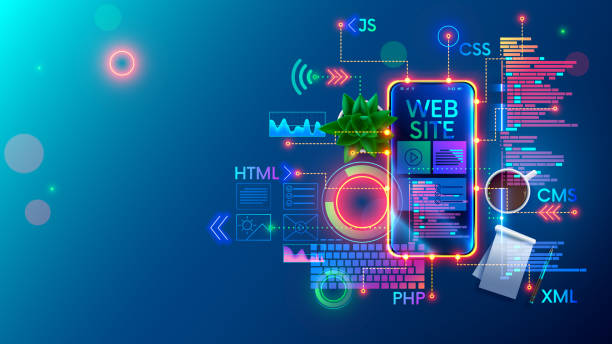
Technical knowledge: A local developer knows a lot about HTML, CSS, JavaScript, PHP, and other website technologies. They can fix technical problems, improve how well your website works, and make sure it meets current web standards.

Security: Your website and its visitors need to be safe from cyber threats, so website security is very important. To protect your website from attacks, your local developer can set up security measures like SSL certificates, firewalls, and malware scanning.

Managing your website’s content is important if you want to keep people interested and move up in the search engine rankings. Your local developer can help you update your content, add new pages, and make sure your content is SEO-friendly.

Search engine optimisation, or SEO, is very important if you want your website to show up higher on search engine results pages. Your local developer can help you with SEO by adjusting your website’s structure, content, and metadata to make it more visible to search engines.

Backup and disaster recovery: If you want to protect your website in case of an outage or data loss, you need to back it up often and have a plan for what to do in case of a disaster. Your local developer can set up backup and disaster recovery plans for your website to make sure it is always safe.

By hiring a local developer who knows how to maintain websites, you can make sure that your site is always up-to-date, safe, and running at its best. They can help with technical issues, security, content management, search engine optimisation, backup and disaster recovery, and more. With their help, you can keep up a website that keeps people interested, helps your search engine ranking, and helps you reach your business goals.

Customizing and making something unique

Customization and personalization are important parts of website maintenance that can help users have a better experience and become more involved. Here are some ways your local developer can help you customise and personalise:

Customized design: Your local web developer can make a website that is unique to your brand and business goals. They can make a design that is different from anything else on the market and gets the attention of your target audience.

Personalized user experience: Your local developer can change how people use your website by looking at how they use it and what they like. They can give each user recommendations, promotions, and content that appeals to them, which makes users more interested and increases the number of sales.

Customized features: Customized features on your website can make the user experience better and give your website unique features that make it stand out. Your local developer can make custom features for your business, like interactive maps, online booking systems, and social media integrations.

Personalized content: Your local web developer can make the content of your website more relevant to your target audience by making it more personal. They can give personalised suggestions, blog posts, and videos that meet the needs and interests of individual users.

Customized analytics: Your local developer can provide customised analytics that help you to better understand user behaviour on your website. They can look at data to find places to improve and give personalized suggestions to make the user experience and engagement better.

Overall, customization and personalization are important parts of website maintenance that can help improve user experience and engagement. By working with a local developer, you can make a website that fits your brand, has unique features, and keeps your target audience interested.

Talking and being able to reach

Effective communication and accessibility are important parts of website maintenance that can help improve the user experience and make sure that your website meets the needs of all visitors. Here are some ways your local developer can help with communication and access:

Accessibility:

Your local developer can make sure that everyone, even those with disabilities, can use your website. They can add things like alt tags for images, keyboard navigation, and audio descriptions for videos so that everyone can use your website and navigate it.

Responsive design: If your website has a responsive design, it will work on all devices, like phones, tablets, and desktop computers. Your local developer can make sure that your website is optimised for all screen sizes, so that visitors can use it on any device.

Tools for communication:

Your local developer can give you communication tools like live chat, email forms, and social media integrations to make it easier for you and your website visitors to talk to each other. These tools can get your users more involved and help you get closer to your customers.

Support for multiple languages: If your business serves people from all over the world, offering support for multiple languages can help improve the user experience and get more people involved. Your local developer can offer multilingual support, such as translation services, to make sure that people from all over the world can use your website.

User testing:

Doing user testing can help you find ways to make your website more accessible and easier to understand. Your local developer can do user testing and give you personalised suggestions on how to improve your website’s user experience and communication.

Overall, good communication and accessibility are important for website maintenance because they make sure that everyone can use your site and interact with it. Your local developer can add accessibility features, responsive design, communication tools, support for multiple languages, and user testing to improve the user experience and make sure that your website meets the needs of all visitors.

Quick response time

Quick response time is an essential factor in website maintenance that can help to improve user experience and prevent potential problems from turning into major issues. Here’s how your local developer can help with quick response time:

Timely updates:

Your local developer can make sure that your website is regularly updated with the latest security patches, bug fixes, and feature enhancements. Updating your website at the right time can help you avoid problems and make sure it works well.

Regular maintenance:

Plugin updates, performance optimisation, and content management are all examples of regular maintenance that can help make sure your website runs smoothly and efficiently. Your local developer can do regular maintenance on your website to stop problems from happening and keep it up-to-date.

Monitoring and alerts: Your local developer can monitor and send you alerts to find problems before they get too big. They can set up automated tools to keep track of how well a website works and send alerts when there are problems that need to be fixed.

Support 24 hours a day, 7 days a week: Your local developer can help you with any problems at any time of day or night. This can help keep your website from going down and make sure that visitors can always get to it.

Proactive approach: Your local developer can take a proactive approach to website maintenance, making sure that any potential problems are fixed before they become big ones. This can help keep your website from going down and make sure it is always working at its best.

Overall, quick response time is an important part of website maintenance because it makes sure that any problems are dealt with quickly and effectively. Your local developer can make sure that your website is always running smoothly and efficiently by giving you timely updates, regular maintenance, monitoring and alerts, support 24 hours a day, 7 days a week, and a proactive approach.

Things to think about when picking a local developer

It’s important to find the right local developer for your website maintenance needs if you want to make sure your site works well. When choosing a local developer, here are some things to think about:

Expertise and experience: Look for a developer who has the knowledge and experience to maintain your website. Check their portfolio and reviews to make sure they have a history of maintaining websites well.

Communication and accessibility: Make sure that your local developer has good communication skills and is easy to reach. Look for a developer who is available to answer your questions and worries and who keeps you up-to-date on the maintenance of your website.

Services: Think about the specific services your local developer offers and make sure they meet your needs for website maintenance. Look for a developer who can do a variety of things, such as security updates, improving performance, managing content, and making the user experience better.

Cost and pricing model: Think about how much it will cost to maintain your website and how your local developer charges. Look for a developer whose prices are clear and who offers flexible pricing plans that fit your budget and the way you want to maintain your website.

Support and backup: Make sure your local developer offers support and backup services 24 hours a day, 7 days a week. This will make sure that your website is always online. Look for a developer who offers regular backups and disaster recovery services to make sure that your website’s data is safe and secure.

Reputation and references: Find out how well-known your local developer is and ask some of their past clients for references. This can help you figure out how knowledgeable they are, how long they’ve been in business, and how happy their customers are.

Overall, when choosing a local developer for website maintenance, you should look at their expertise and experience, ability to communicate and be reached, services offered, cost and pricing model, support and backup, reputation, and references. By choosing the right local developer, you can make sure that your website works well and gives your visitors a great experience.

Reputation and past work

When choosing a local developer for website maintenance, you should think about their reputation and how much experience they have. This is why:

Reputation:

A local developer’s reputation is based on how well they do their job and how happy their customers are. Look for a developer who has a good reputation for maintaining websites in a good way. Check reviews and testimonials from the developer’s past clients to find out how happy they were with their services. You can also ask other business owners or coworkers who have used website maintenance services for recommendations.

Experience:

When it comes to maintaining a website, experience is very important. An experienced local developer has the knowledge and skills to handle a wide range of website maintenance issues, such as security updates, performance optimisation, and content management. They can quickly find problems and fix them, making sure that your website works well and smoothly. An experienced developer can also give you useful tips and suggestions on how to improve the way your website works and how users interact with it.

It’s important to look at a local developer’s portfolio and track record when thinking about their reputation and experience. Check out their past work to see if they have maintained websites like yours before. If they have worked with other businesses in your niche, they may know more about the challenges and opportunities there.

If you choose a local developer with a good name and a lot of experience, you can feel confident that your website is in good hands. You can count on them to provide high-quality website maintenance services, make sure your website is up-to-date and working well, and give you helpful advice on how to improve your website’s performance and how users interact with it.

Skill set and knowledge of technology

When choosing a local developer for website maintenance, it’s important to think about their skillset and knowledge of technology. This is why:

Skillset: Maintaining a website takes a wide range of skills, such as knowledge of security, performance optimisation, content management, and user experience. When looking for a local developer, it’s important to make sure they have the skills to take care of all the different parts of website maintenance well. Look for a developer who has a lot of experience and skills in different areas of website maintenance. They should be able to quickly spot problems and come up with good solutions to make sure your website runs smoothly and efficiently.

Technology knowledge: The technology landscape is always changing, so it’s important to have a local developer who stays on top of the latest trends and technologies. They should know a lot about the tools used to build websites, like HTML, CSS, JavaScript, and PHP. They should also have worked with Content Management Systems (CMS) like WordPress, Joomla, Drupal, and Shopify. Also, they should know how to host websites and manage databases so that your website runs smoothly and without any problems.

When choosing a local developer, think about what skills they have and what they know about technology. Ask them what they know about different kinds of technology and how they keep up with the latest trends and developments. Check their portfolio and reviews to see if they have worked with similar technologies and platforms before. You can also ask for references to find out more about how good they are at maintaining websites and how long they have been doing it.

Having a local developer with a wide range of skills and knowledge of the latest technology can help your website stay competitive and work well. They can find problems and fix them quickly. They can also make sure that your website uses the latest technologies and give you useful tips on how to improve its performance and the user experience.

Pricing and packages

When choosing a local developer for website maintenance, it’s important to think about pricing and packages. This is why:

Pricing: The cost of website maintenance services can vary a lot depending on the developer’s experience, skill set, and the size of the job. Some developers charge by the hour, while others offer packages for a set price. It’s important to understand how the developer sets their prices and what services come with their package.

It’s important to find a balance between price and quality when setting prices. Even though it may be tempting to choose the cheapest option, a low-priced developer may not have the skills or experience to provide high-quality website maintenance services. On the other hand, if you only need basic maintenance services, a pricey developer may not be the best choice.

Packages: Depending on the level of service they offer, local developers may offer different maintenance packages. Some developers offer basic packages that include things like security updates, backups, and plugin updates, which are all important parts of keeping a website running. Other developers offer full packages with extra services like performance optimisation, content management, and improvements to the user experience.

When looking at packages, it’s important to pick one that fits your needs and your budget. Look for a developer who offers packages that can be changed to fit the needs of your website. A developer who offers different packages is also a good choice, since you can pick the one that fits your needs and budget.

When choosing a local developer for website maintenance, it’s important to think about how much they charge and what packages they offer. Look for a developer with clear pricing, packages you can change, and a good balance between price and quality. With the right price and package, you can get high-quality website maintenance services that keep your site up-to-date, secure, and running well.

Wrapping Up

In conclusion, regular website maintenance is important if you want your site to be up-to-date, safe, and work well. Common maintenance tasks include security updates, performance optimization, content management, user experience improvements, broken link and error checks, mobile responsiveness testing, backups, and disaster recovery.

We Fix, Host, & Maintain WordPress Websites

At mywebmaintenance.com we provide instant WordPress technical support. We also provide bespoke web hosting & expert management for thousands of WordPress websites. Use us for quick one-time fixes, or partner with us for ongoing WordPress website maintenance. Follow us on Facebook to find out where we are next.

The Importance of Regular Website Maintenance Read More »

Don’t Get Left Behind: The Benefits of Regular Website Maintenance for Your Business

Maintaining a website is essential because there is a new update every other day. The website is the initial digital place where you interact with your customers. It’s essential that every brand, big or small, looks for website maintenance services to stay current with navigation, page design, relevant content, optimized keywords, and internal linking. Different companies offer website maintenance services, and website maintenance costs vary! It depends on how diverse the website is and how you plan your future strategies. Some brands start with redesigning their brand website, while others use the website maintenance services of good companies and use their monthly website maintenance packages. After reading this blog, you will have a clear answer about what website maintenance involves and how long it takes. Every individual needs to work carefully, focus on the basics first and then proceed with updates.

What is internet site maintenance, and how long does it last?

As the name suggests, website maintenance is a continuous process of optimizing website performance. That includes updating the website design, fixing bugs and other crashes, optimizing the website speed, and other critical fixes. A website is not just about developing, designing, and deploying it on a server. Post-development maintenance and updating are essential for the practice to ensure continuous traffic growth and security. Moreover, regular maintenance plays an essential role in improving Google rankings and strengthening the SEO of the website. Given the market’s competitive nature, a well-maintained and up-to-date website is essential for both larger and smaller businesses. Websites that need to be maintained are riddled with errors that will most likely alienate their users. On the other hand, the overall health of a website is like your health: if you don’t check it regularly, it becomes vulnerable to potential damage, such as cyberattacks and malware. Keep in mind that Google takes hundreds of websites offline every day due to malware. Therefore, a well-maintained website is crucial for smooth operation. The answer to the question of how long it takes to maintain a website is quite simple! It depends entirely on the updates you make to your website. Sometimes it takes as little as half an hour, but other times it can take three to four days. The best way is to place the message “Website is being maintained” and inform your audience about the duration of the website maintenance. This way, your visitors will understand the maintenance time and stay on the website, which will have a negative impact.

Why you should prioritize the maintenance of your website?

Continually maintaining your website is critical to achieving your overall business goals. Whether your website is newly launched or recently redesigned, there is always room for improvement. Maintaining your website will prevent reputation-damaging mistakes from being noticed and cause you to lose customers or potential customers if they have a negative experience with the site. Four reasons why you should make regular website maintenance a business priority:

Branding

Your digital presence is essential to your business and contributes to your brand’s overall image. A well-functioning, user-friendly website is the first impression a potential customer will have of your business. A poorly maintained website with broken links, outdated information, and content that doesn’t meet your brand’s guidelines will likely send your customers back to search engine results pages and your competitors.

Better SEO

Every business wants to rank at the top of Google. Factors like broken links, poor navigability, or flimsy content can negatively impact your page ranking. Fortunately, well-maintained websites have an added advantage regarding search engine rankings. If you quickly identify and fix SEO blockers, search engines won’t penalize your website.

Eliminate conversion blockers

A good user experience on your website helps you avoid losing customers but can also help convert potential customers and generate valuable revenue or sales. Something as trivial and easy to overlook as a single incorrect contact form or an unlisted phone number on a crucial page can cost you business. Regular maintenance ensures that your website always meets visitors’ expectations.

Eliminate security vulnerabilities

A regularly maintained website is a more secure website. Website maintenance goes a long way in preventing malicious attacks on your website through security vulnerabilities such as outdated scripts, unprotected plugins, or missing CMS patches and security versions. Avoid your business being targeted by hackers and making headlines for the wrong reasons by regularly checking your website’s security vulnerabilities.

How Do Websites Get Hacked?

Up Before we go into detail about how to prevent your website from obtaining hacked, we should probably discuss what a hacked website looks like. While there is no set idea of what a hacked website looks like, there are patterns. And we should tell you now that if your website has been hacked, you will not doubt it, since something will certainly be very wrong. Here are some typical ways hacking presents itself:

Ransomware

The hacker threatens to publish your data and block access to your website unless a ransom is paid.

Gibberish Hack

You will discover many automatically created pages filled with keywords and gibberish to make them rank on Google for keywords. When people click on them, they are rerouted to a questionable website.

Keywords Disguised As A Hack

As above, but a bit more sophisticated at first glance, these pages look like the ones on your website because only the written content has been changed.

Japanese Keywords Hack

Creates random Japanese pages full of affiliate links to stores selling fake goods.

Malicious Code/Viruses

If a malicious code or a virus is infiltrated into your website, your website may stop working, or you will not be able to access it. It is also possible that all of your hardware may be impacted.

Denial Of Service (DoS)

Hackers make use of bots to overload a website with requests and crash the server it resides.

Phishing

Scammers contact your customers pretending to be with your company and use your branding in hopes of obtaining personal details.

FROM THE EXPERT

We asked Krys Lambiase, elderly product marketing manager at Endurance International Group (EIG), the parent company of web hosting giant Bluehost HostGator, to share his insights on website security with our readers and us. In this guide, you’ll find quotes and tips from Krys but first, he reveals the most significant security risks for new internet sites

Outdated Software Application

Website owners require to stay on top of updates for WordPress and other CMS plugins and anything else that needs an update. In addition to taking care of bugs or glitchessoftware application updates usually include security enhancements or patches. Hackers are constantly looking for ways to capitalize on software vulnerabilities. Today, many cyberattacks are automated. Criminals use bots to scan vulnerable websites. So whether you are not up to date on software, it’s simple for hackers to determine your website prior you can do anything about it.” Now that you know what a hacked website looks like check out these seven ways to prevent your website from becoming one

Install SSL

Setup SSL by buying a simple Secure Sockets Layer certificate is an essential first step.
  • Use anti-malware software applications to scan for and prevent malicious attacks.
  • Make your passwords unbreakable – 123456 is not enough!
  • Maintain your website up to date – using outdated software is like leaving your back door open.

Move up

One of the easiest things to protect your website, yourself, and your users are installing a Secure Sockets Layer (SSL) certificate. You may not know it, but you encounter SSL all the time when you surf the Internet. It is the reason for the “s” in “HTTPS” and the padlock in the address bar. Great to know what SSL means for Secure Sockets Layer. You set up an SSL certificate on your website that encrypts the data (such as login credentials) between your website and visitors. There are different levels of SSL – e-commerce sites that process payment data, for example, should use a more advanced version. Want to learn more? Learn more about what an SSL certificate is in our guide. SSL encrypts the information that is transferred between your website and your site visitors. Google currently warns visitors when they visit a website without SSL and even “discriminates” against these websites in its search results. SSL security is essential when accepting payments through your website, asking for credentials, or transferring files. Without it, the information is unprotected and unsafe for hackers. Krys Lambiase highlights the importance of SSL for website security – especially in online stores. “An SSL certificate is required on condition that you run an eCommerce store or collect visitor data such as emails on your website. This is where the importance of SSL becomes apparent. SSL certificates not only improve search engine optimization but also prove that all the data your visitors send to your website is transmitted over an encrypted channel, so hackers can’t view the data during transmission. You do not require to be intimate with the technical details of SSL security, so don’t worry if you don’t know how it works. The most important thing is that you know your website needs SSL and how to set it up. There are several ways to install SSL. We recommend the following three ways in particular:

Choose A High-Quality Website Builder That Includes SSL For Free

Install a simple Let’s Encrypt SSL certificate yourself. Choose a hosting provider that offers SSL for free in all packages (if you build your site with a content management system like WordPress.org). If you desire a much higher level of security, you will have to pay for an advanced SSL certificate. These differ in price and can be purchased from hosting providers or domain registrars. Unless you run a large online store or handle large amounts of sensitive data, the accessible version of SSL is probably sufficient. For more details on how to get an SSL certificate for your website, check out our dedicated guide. In just easy steps, we’ll guide you through the entire process! Hacker attacks are the most common cause of data breaches on the Internet, accounting for 61.9% of lost data. Greater than 8 billion records have been lost due to hacker attacks.

Use Anti-Malware Software

The good news is that anti-malware software does the hard work for you, so you don’t have to worry about the technical stuff. There are quite a few different anti-malware programs available. This means that you can tailor your security to the needs of your website and your budget. The security services offered include:
  • Web scanning
  • Malware detection and removal
  • Firewall for web applications
  • Vulnerability patching
  • DDoS protection
  • PCI compliance
If you don’t know what any of this means, that’s not a problem – that’s what anti-malware software is for! SiteLock is a world leader in website security and a popular anti-malware software often included in hosting plans. A good website creator or hosting provider should take care of your website security for you.
  • Free SSL
  • Hack protection
  • Automatic backups
  • DDoS protection
These are the security basics for your website and the features you should look out for when choosing a hosting provider. Regardless of whether your provider has built-in tools or offers additional free tools will provide you with welcome extra security. Great website security begins with a good web host, as explained:Webhosting is the foundation of your website. They help you obtain online and often provide additional tools for your website to create a website with the look and feel you want. Quality website hosting providers have protocols to protect WordPress and other content management systems they host, such as automatic security patches and updates. It’s the hosting provider’s responsibility to maintain their servers and perform the necessary security monitoring.

Make Your Passwords Unbreakable

Secure Website Templates Passwords go to the top. They’re so familiar to us that we sometimes forget how important they are. It’s easy to overlook the fact that your password is often all that stands between a hacker and your personal information. Passwords are an essential step and one of the easiest things you can change to increase the security of your website. Spend just 20 minutes today strengthening your passwords, and you’ll be on your way to a more secure website. Of small businesses surveyed said their company had been affected by an attack that misused employee passwords. The typical cost of each attack was just over $380 thousand! A survey conducted by the UK’s National Cyber Security Center analyzed the most commonly used passwords of accounts that have been attacked around the world. A list of the ten most frequently hacked passwords was then compiled if you use any one of the following passwords, you should change them (and change them now)!
  • qwerty
  • Password
  • abc123
  • password1
Instead of using easy-to-guess phrases, here’s what you should do instead:
  • Combine three random, unrelated, but memorable phrases.
  • Use a randomly generated sequence of characters.
  • Don’t use recurring passwords – use a password manager to manage all passwords.
  • Make your password long.
  • Never utilize personal information in your password – that’s the first thing hackers will try!
There is a seemingly endless list of password tips, and you should combine some of these tactics to create uncrackable passwords. Once you have your new bulletproof passwords, be careful with them – don’t share them, even with friends, and change them regularly (about once a quarter).

Keep Your Website Up To Date

To the top, We are not talking about posting the latest gossip or keeping your visitors up to date on your latest product. This is about the imp of keeping your website software up to date. If you are using a website contractor, you don’t have to worry about this because most builders will handle software application updates and security issues for you. However, if you’re using a platform like WordPress, you’ll need to stay up-to-date and make updates as needed. You need to perform updates for your core WordPress software and any plugins you have installed. If you don’t, everything can become outdated and vulnerable to bugs, glitches, and, worst of all, hackers with malicious code. Fortunately is that you can automatically set these updates in your dashboard but it’s still worth keeping an eye on it and making sure everything is running smoothly. If your website is outdated, it can have dire security consequences. So it can’t hurt to keep an eye on updates.

Website Maintenance Checklist

Websites today are never truly “finished” – they need constant maintenance to perform at their best. Many different elements contribute to the performance of a website, but some of the most important ones that need to be constantly monitored to present an excellent website are:

1. keep your CMS, scripts, plugins, and other CMS add-ons up to date

Outdated security patches and software are hackers’ best friends. To maintain a secure website, you must always use the latest version of your CMS. That will ensure that the latest security patches, plugins, and scripts are installed on your website promptly and prevent your website from becoming an easy target for cyber attacks.

2. Fix broken links

One of the biggest obstacles to a positive customer experience is a broken link – especially on an entry page. Broken link finders spot dead ends on your site and help you fix them before visitors notice. Broken links disrupt the user journey and can negatively impact your SEO ranking, so it’s essential to identify them as soon as possible.

3. Eliminate links to unsafe domains

Linking to unsafe domains makes your website look untrustworthy, hurting your brand’s reputation. To ensure your visitors’ safety – and your own – you should track down unsafe domains and delete them from your website. That will prevent your visitors from being exposed to phishing, malware, or other unwanted software.

4. Improve your readability

Users read web content differently than printed content and will quickly leave your website if the content is too dense. For a visitor to engage and convert, your website must speak a language they can relate to. Readability checks can help you identify complex text to understand, reducing the risk of bounces.

5. Banish spelling errors

Typos and grammatical errors reflect poorly on your business and can cause your bounce rate to skyrocket. Spotting and correcting spelling errors will ensure that your website (and brand) always look professional and credible.

6. Make full backups of your website

It’s wise to be prepared for the worst-case scenario – losing your entire website and rebuilding it from scratch. Regular backups of code (CSS, themes, plugins, JavaScript, and other files) and content (media files, text, etc.) reduce the risk of data loss due to domain issues, cyberattacks, natural disasters, or accidental content deletion. Backing up all files can be done manually or by an automated service. For larger websites, frequent backups are essential, while smaller websites can back up their content monthly.

7. Refresh your content

Your website should always be dynamic. Outdated content reflects poorly on your business and leads to a negative user experience. Website maintenance detects outdated or irrelevant content so it can be easily replaced or refreshed with pertinent, up-to-date information that meets visitors’ expectations. In addition, search engines prefer fresh content: The more often you update your content, the better your rankings will be.

8. Check for SEO obstacles

Every page of your website should be indexable by search engines and comply with SEO guidelines. Regular website maintenance will ensure that your new and old pages align with ever-evolving organic search best practices and algorithm changes and are increasing search results.

9. Speed up your website

A fast website is a must. Most visitors abandon a website after just a few seconds of loading time. Moreover, page loading speed is essential for search engine ranking – Google directs traffic to websites that offer a fast mobile browsing experience. If your website needs to be faster, it will affect your bottom line. Meet your visitors’ expectations by ensuring your site is interactive within five seconds. Use a performance monitoring tool to monitor and track your progress toward this goal.

Website maintenance services – a detailed analysis

One of the biggest threats to websites that are poorly maintained is security. Malware on a website can cause irreparable damage, and in the worst cases, such websites can even be taken offline. However, not only is your website at risk, but a malware-infested website also poses a potential danger to visitors. A website maintenance company checks the website and suggests appropriate changes and updates. Whether it’s a simple or complex website, you must take a hard look at the complexities involved and develop website maintenance plans that are beneficial for websites. Here is a short list of tasks to include in your website maintenance services for a weekly, monthly, quarterly, or yearly cycle.

1. Website maintenance to be done weekly

A website maintenance company should ideally complete the following tasks in a week:
  • Check that all pages on your website are loading smoothly and without errors. Fix any problems that may arise.
  • Back up your website data to ensure you have saved your previous version of the website in case there are any significant issues.
  • Update the core of your website and software. Also, update plugins to take advantage of the latest features and security protocols.
  • Delete spam comments from your website’s pages and blogs. You can use spam tools for this purpose.
  • Check if all the forms on your websites are working correctly and without any problems, especially after updating the forms.
  • Check if there are links on the pages of your website that need to be fixed. If so, remove them or redirect traffic to up-to-date pages.
  • Scan the pages of your website for 404 errors. Fix these errors or redirect them.
  • Update your existing content or write blog posts to increase traffic to your site and engage your audience.

2. Monthly website maintenance

A website maintenance company should ideally cover the following tasks in a month:
  • Check the loading speed of your website pages. Look for things that are slowing them down.
  • Your website can generate tons of cached data. Removing this data can significantly improve the overall speed of your website.
  • Run a security scan on your website to locate any potential security threats. If you find anything unusual, take action immediately.
  • Analyze the previous month’s statistics on your website.
  • The more content you publish on your website, the better it is for increasing traffic.
  • Therefore, check if there are blog posts that you can update.

3. Website maintenance is to be done quarterly

A website maintenance company should do the following tasks every quarter:
  • Carefully review the structure and design of your website to see if there is anything you can improve.
  • If the site’s design and structure need too much work, consider revamping your site.
  • Test all the forms, CTAs (calls-to-action), and popups on your website. Ensure that these customer-facing elements are responsive and don’t crash during the interaction.
  • Check that you can update all graphics and images on your website.
  • Try to optimize images and videos on your website to improve loading speeds.
  • Test your website on all devices and popular browsers to see if everything displays as designed.
  • Improve your search engine optimization and check if the meta titles and descriptions are still as effective. If not, update them.
  • Take a look at your advertising and marketing campaigns. Make necessary improvements and updates.
  • Thoroughly review your workload. That will help you figure out if there are processes you can automate.
  • Check the state of your backup by restoring the previous version of your website.

4. website maintenance to be performed annually

A website maintenance company should perform the following tasks annually:
  • Update all references on your website pages to the current year.
  • Check each page of your website for grammatical problems, irrelevance, or typos. If there are problems, fix them.
  • Make sure your website’s domain name has been renewed.
  • If any website design updates are due, have them done.
  • Check the active email addresses to see if there is an excess of unnecessary data that could be deleted.
  • Please review the most popular blog articles on your site and update them with new and fresh content.

A website maintenance plan is a never-ending process

As new tools are introduced daily to make website development more convenient, more and more websites are being created. Even though creating websites with many pages has become more accessible, keeping each page in a pristine condition is still difficult. You must pay attention to regular website maintenance and updates to protect your website. As mentioned earlier, regular website maintenance is an integral part of your business that grows independently. Therefore, you must take care of your website maintenance.

Why is regular maintenance necessary for your website?

Startups with new websites usually have an excess of things to take care of and work on. With so much to do, website maintenance, an important task, should be addressed. That has several disadvantages. Here are some reasons why maintaining a healthy and active website is essential for your business.

Search Engine Optimization (SEO)

SEO services allow users to be ranked via the SERPs. The reason brands and businesses create websites in the first place is to attract more potential customers and viewers. You will lose your audience if your website is not regularly updated with fresh content. That is because Google ranks the websites with the most relevant and up-to-date content in its search results. Even worse, if your website’s content is not updated for an extended period, there is a risk that Google will remove your website from the index altogether. Therefore, it is essential to regularly update your website with fresh content, keywords, and news to strengthen your SEO and drive more visitors.

Maintaining customer attraction

Retaining customers is just as important as driving traffic to your website. If the existing audience can’t find what they’re looking for on your website, i.e., up-to-date information and news, there’s a good chance they’ll migrate to other websites to satisfy their needs. To maintain your site’s appeal, keep your site’s content free of typos and grammatical errors and update it regularly with the latest information.

Security from cyber attacks and malware

Security from malware and cyberattacks is the most important reason why regular maintenance of your website should be your priority. Web server security is fundamental because hackers always look for a way to invade privacy. If your website is vulnerable to security threats, you are putting your website at risk and putting valuable customer data at risk that could be used for unethical purposes. Especially websites built on platforms like WordPress are at a higher risk of security threats. It is essential to update WordPress plugins regularly as they are the main reason WordPress websites attract hackers. Google takes down hundreds of websites daily due to malware infections, and you certainly don’t want yours to be one of them. Therefore, you must maintain and update your website regularly to protect it from security threats.

The corporate image of your brand

Saas websites are one of the most widespread trends that allow users to get money from the audience organically. Creating websites with well-designed structures and user interfaces has become easier than ever, so people’s expectations of professional websites from professional brands have increased. If your website doesn’t offer a professional look and feel, you’re technically scaring away your potential customers. Besides, no one likes a website full of bugs, errors, and slow loading times. Customers usually look for Saas’s websites to generate revenue for the brand. On the other hand, if your website loads faster and has no errors, you will likely retain most of your potential customers and attract more audience. Therefore, regular website maintenance has a significant impact on your business image.

Keeping up with the latest design and technology trends

If you maintain your website regularly, you’ll likely be an early adopter of the latest technology trends for your website. These trends can help the backend of your website run more smoothly. If you update it regularly, you can also take advantage of the latest features available with the updates. On the other hand, optimize the design of your website to make it look sleek. The better designed your website is, the more likely you are to convince your audience that you are the first choice.

Your peace of mind

Website maintenance can make the difference between success and failure for your business. A website that needs to catch up on maintenance can severely damage your brand reputation or, even worse, cost you a lot of money to get it back up to snuff. In contrast, an up-to-date, well-functioning website without bugs and errors can be valuable. It will compensate you with a higher ROI and peace of mind.

Advantages of outsourcing website maintenance services

Now that you know how much it would cost to maintain a website, you should do it yourself. Even though you can handle these tasks yourself, the process is time-consuming and requires professional expertise. Here are some benefits of outsourcing your website maintenance services.
  1. As mentioned earlier, website maintenance requires professional expertise. Hiring an agency means that qualified professionals will be working on your websites.
  2. Since the professionals will be responsible for the maintenance of your website, you will be able to use your time for your business.
  3. The maintenance package you choose will be based on the needs of your website. You only pay for the services you utilize, which makes this option very cost-effective.

How to determine if you should buy maintenance packages for your website

To determine if you require a website maintenance package, focus on the following critical elements.
  • Complexity or size of the website
  • The goal of the website
  • Amount of customized content
  • Scalability and growth potential of the business
  • The expertise of business owners in website maintenance
  • Relevance to the competition
  • The time you can spend on maintenance
Your website is an online partner for your business. Therefore, it should help you succeed in your industry. You should invest time and effort in maintaining the website. If you need the expertise, consider hiring an agency to maintain and update your website. Contact mywebmaintenance.com if you need a new website or want to upgrade your present one. Aside from website design and construction, we can also assist you with custom web development services, and even more.
We Fix, Host, & Maintain WordPress Websites
At mywebmaintenance.com we provide instant WordPress technical support. We also provide bespoke web hosting & expert management for thousands of WordPress websites. Use us for quick one-time fixes, or partner with us for ongoing WordPress website maintenance. Follow us on Facebook to find out where we are next.

Don’t Get Left Behind: The Benefits of Regular Website Maintenance for Your Business Read More »

Quick & easy steps: How to host a website in 2023?

Do you want to run your website? Then the first and most crucial question you must ask yourself is how to host a website (if you have already registered your domain name). However, there are numerous self-hosted platforms on the internet through which you can easily create and host a website.

Many things need to be clarified about hosting a website that says you require special knowledge or technical skills to host a website. But that’s another topic that we’ll cover in another post. For now, however, we’ll focus on the beginners who need to learn the ABCs of hosting a website and all the essential steps involved.

That is entirely untrue

With the proper guidance and approach, anyone can host their website in simple steps. Therefore, in this blog post, we will respond to all the essential inquiries of newbies about holding a site, such as How to hold an internet site free of charge? Exactly how to organize an internet site with a domain? How do I organize my very first site? And so forth.

So stay tuned and read this article till the end. This way, you will learn everything about web hosting in no time.

Let’s get started!

What does hosting a website mean?

Hosting a website means renting a unique space, such as servers or computers, where you can place your website files. This way, anyone can quickly get access to your content. In other words: Let’s say you rent a plot of land where you need to build your house and store all the necessities of life.

In this situation, the story is your Webhosting, your home is your website, and the life necessities are the site submits you have saved. This example helps you understand web hosting better.

For your website to be easily accessible to other people on the internet, you must install a special software called web server on these servers or computers. Its primary function is sending or receiving browser requests to the server.

I know that all these terms sound technical, but you don’t have to worry about it. Several online companies offer all these services at very affordable prices. To your surprise, even a few of the most well-known tech giants, like Netflix and Siemens, have their websites hosted on AWS (Amazon Web Services).

However, only a few companies can host their services on their servers. For example, Amazon, a giant e-commerce platform, has hosted its solutions on Amazon Web Provider, and Google, a giant internet search engine of types, has hosted its services on the Google Cloud System.

All this is possible because these tech giants have human resources, IT infrastructure, technological resources, and substantial financial support.

Similarly, some companies offer fully managed web hosting services for hosting websites.

Related: How does web hosting work? And what kinds of web hosting are there?

What to consider before hosting a website?

How do you host a website before we get to the topic? There are some things you require to consider before proceeding.

  1. Domain name registration
  2. The right web hosting provider

Before you host a website, you first need to register a different domain name for your website. That is the address of your website that anyone can use to access your website. For example, if you type Example.com into your browser’s address bar, you will be redirected directly to the website.

Another important point when hosting a website is choosing the right hosting provider. While there are many options, which one is excellent for you is the most critical question.

But don’t worry; we’ll show you how to choose the right web hosting provider that will meet all your website needs without leaving you out of pocket.

Related: Shared vs Managed WordPress Hosting: The Key Differences

How to host a website: Step-by-step guide

1. Decide on the type of your website

Before you start looking for a hosting website, you initially need to determine what type of website you wish to develop. Whether it is a specific blog site or an eCommerce store. Different website-specific niches have different demands and, consequently, different web hosting plans.

There are mainly two types of internet sites you can locate online

  • Static websites: These types of websites can be created using simple HTML codes or any website creation software. These websites are straightforward and usually consist of only 1-2 pages. The content of these websites is static; if you make any changes or edits to your website, you must upload it to the server again. These websites usually have low cost and low maintenance, but they need more functionality and offer an e-commerce option.
  • Dynamic websites: Dynamic websites are modern websites whose content can be changed in real-time. These websites are resource intensive and require fast servers and high-end security. Any edits or content updates are done on both the servers and the client. You can add additional features and functionality to make your site interactive and build a complete eCommerce store.

Both types of websites require different resources. After all, you don’t want to pay for advanced web hosting services that are not required for your simple website.

2. Select the right web hosting for your website?

Since there are various options, users can quickly become confused and choose the wrong web hosting service. However, before making concrete decisions, you should learn about the different hosting platforms available.

There are a variety of host platforms that cover all individual teams and their website requirements. The only thing you require to do is to match one of the most suitable host solutions with your website needs.

These are some of the hosts plans that you will typically locate

Shared Organizing is just one of the most beginner-friendly host strategies that are budget-friendly and preferred. Although all internet sites have their accounts and qualifications, the expense of running the web server is shared. In shared hosting, several sites are hosted on the same physical web server and share the readily available web server resources.

  • Virtual Private Server: It is the best alternative to shared hosting, where all websites are hosted on one powerful and fast web server. This server software application is well configured and practically split right into several areas to ensure that each internet site can work separately. This holding plan ideally matches customers who want above-average server efficiency without endangering safety and paying high costs.
  • Dedicated organizing: In dedicated holding, websites are hosted on the entire server, which results in faster, more powerful, and more secure websites that are also more expensive. This hosting plan is best suited for websites with high traffic, such as eCommerce.
  • Managed WordPress hosting: Since most websites are built on the WordPress CMS, several providers now offer a completely managed WordPress hosting solution. This web hosting is optimized for WordPress sites and manages your site without user intervention. These Managed WordPress hosting servers usually have the fastest dedicated servers, top-notch security, and various add-ons.
  • Cloud holding: These types are advanced and utilize multiple web servers to host several websites. Since the website is not organized on a solitary specialized server, the web resources can either expand or shrink depending on the website’s web traffic. Therefore, this is an efficient and cost-effective option for e-commerce or large websites with higher average monthly traffic.

What features do you need to look out for in web hosting?

Since we have already mentioned that many web hosting platforms offer different services at different rates, certain factors play a role in choosing the right web hosting.

  • Web hosting is not just about hosting your website and making it available all the time.
  • Web hosting offers more essential services like security, firewalls, uptime monitoring, expert technical support, and more.

As we have already mentioned, you must first find out precisely what your website requirements are. You can’t just decide based on the price they offer. Moreover, you can follow our tips below when choosing the right web host:

1. Check the server technology

1,691 Server Room Illustrations & Clip Art - iStock

To start with, inspect what kind of web server your host offers. Is it a complex web server, the fastest in the industry, and is it based upon innovative innovation or otherwise? The more powerful and faster the web server is, the better the internet site’s efficiency.

2. Maximum uptime monitoring

Uptime Stock Illustration - Download Image Now - Web Page, Gauge,  Horizontal - iStock

Check whether the web host can offer uptime monitoring of up to 99.95% or not. This way, you can ensure that your website will always stay online regardless of any problems. After all, you don’t want your visitors to see a blank screen during your website’s downtime, which can negatively impact your search engine optimization and web traffic. Small websites with low average monthly traffic can ignore uptime issues, which are significant for high-traffic websites.

Related: Examining the Importance of Monitoring Website Traffic

3. First-class security


The security of a website is one of the essential factors you should not compromise. Even though it is one of the essential points that affect your Google ranking, a simple SSL certificate can make a big difference if you desire your website to rank better in SERPs. Along with other security measures, it provides your website with solid protection against various attacks like malware injections, DDoS and hacking attacks.

Related: Why Is Security Monitoring Important?

4. Bandwidth allocationBandwidth Vector Art Stock Images | Depositphotos

Transmission capacity is the capability of information or traffic that can transfer between websites, servers, and users. So if you are searching for a media-intensive site with video clips, graphics, online podcasts, or even live streaming services, you’ll need to opt for plans offering higher bandwidths. However, simple websites that contain text content with basic images and videos or use other services to store their content usually only require higher bandwidths.

5. Scalability 674 Scalability Stock Vector Illustration and Royalty Free Scalability  Clipart

When considering a hosting plan for your website, you must remember the future growth of your website. Any pilot project or online business will start with a lower hosting plan with limited resources, a more efficient and cost-effective strategy than you might initially think. But eventually, your website will grow and need more than the initial resources to keep it running smoothly.

So ensure your current hosting plan offers an upgrade program to add more resources or provides a seamless migration option to another hosting service without complications and additional fees.

6. Automatic backup

Automatic Backup Abstract Concept Vector Illustration Stock Illustration -  Download Image Now - iStock

Regular manual backups of a website can be a hectic and time-consuming process. Especially users who need to become more familiar with technical matters may even need to remember to make regular manual backups.

That’s why many web hosting companies now offer automatic backup systems that ensure that your website can be quickly restored in case something goes wrong. The best and most reputable web hosting companies will provide you with a regular automatic backup system so that if something goes wrong, you can keep your head clear and get things back on track right away.

7. Compensation

For small websites or blogs, downtime may be acceptable. However, online businesses or websites with high traffic can seriously impact your online sales and revenue. So, when a web hosting company offers you compensation, they will compensate the website for any losses incurred during a problem related to the web hosting or servers.

8. Check data centers 13,170 Data Center Illustrations & Clip Art - iStock

For better website speed and lower latency, hosting a website in a nearby data center is very important. So, web hosting in a nearby data center is better than hosting in a remote data center. After all, it’s about speed, and every second counts for your website experience, SEO, and online growth.

9. Manageability

21,909 Web Hosting Stock Photos, Pictures & Royalty-Free Images - iStock

Users can manage their website and hosting plan, create backups and use add-ons. Many web hosts need better organized and offer a clean user interface or dashboard to manage your web hosting account. However, many web hosts offer cPanel by default to manage accounts, which is very popular and widely accepted as an industry standard.

So check whether or not the hosting offers you a cPanel or dashboard to manage your web host. If not, then get ready to do all the hectic manual work yoursel

10. Add-ons and additional features

Due to fierce competition, web hosting providers offer additional features and add-ons bundled with their plans. You need to check whether these plans add value to your website or not. Do they justify the price that web hosting providers charge?

11. Customer support 30,329 Customer Clipart Illustrations & Clip Art - iStock

Hosting a website is more challenging than it seems. Things are getting more challenging and more complicated, especially for beginners. There are a lot of steps involved, and a lot of processes take place in both the front end and the back end. Therefore, a dedicated team of experts is needed to assist users 24/7. The better the customer service is, the more convenient it is for users.

12. Add your domain name to the web hosting

202 Domain Hosting Illustrations & Clip Art - iStock

When you have picked a particular host and bought an appropriate plan, you will undoubtedly get a DNS name or a supposed domain name web server.

To bring your website to life, you need to change the Domain Name Server of your domain. Here’s how you need to proceed.

  • Step1: Login to your domain account page.
  • Step2: Select the domain for which you wish to alter the name servers and click it.
  • Step3: Click Domain Setups or DNS Administration, where you will discover a choice to transform the name servers.
  • Step4: Now click Adjustment to replace the existing name web servers with the brand-new ones supplied by your web host and click Save to finish.

How to select the best hosting provider

Since there are so many hosting options, it’s easy to get overwhelmed when comparing. If you lose track while reading feature lists and price plans, shift gears and take some time to read user reviews. It’s often constructive to read others’ experiences before signing up.

However, once you have a solid idea of the basics of web hosting, consider which format is most attractive to you: shared, dedicated, or another. It’s also worth making a short checklist of the most important features so that you can go through the text-heavy descriptions of the offers more quickly.

Wrapping Up

Hosting a website is more complex than it seems, but choosing the right web host for your website makes it a bit difficult. With so many web hosts offering different features and plans, it becomes difficult for any individual to make a concrete decision and choose the best one.

Lack of knowledge is a significant obstacle in choosing the perfect web host. If you can figure out what kind of website you want to host and what requirements it must meet, hosting a website is a simple task.

However, if you want to play it safe, there are many free web hosting options, or you can select the cheapest plan available to get started with your web hosting.

All the tips and steps discussed in this article will help you figure out how to host a website.

FAQ

1: How can I organize my website free of charge?

You can conveniently hold your website for free on these complementary systems:

1. WordPress.com

2. Wix.com

3. squarespace.com

4. Weebly

5. Amazon AWS

2: How can I host my first website?

1. You must first sign up for a domain that fits your internet site niche and is exceptional.

2. get an ideal web hosting plan that is economical and also meets the needs of your site.

3. Modify or change the existing name servers with the new ones offered by your Webhosting on the domain setups page.

4. install the WordPress style and plugins.

5. Beginning developing your website, and you are done.

3: Is hosting a website accessible?

The misconception is that hosting a website is challenging and requires special technical skills. But it is not valid. If you follow the right way and instructions, you can easily host your website in just a few minutes.

At mywebmaintenance.com we provide instant WordPress technical support. We also provide bespoke web hosting & expert management for thousands of WordPress websites. Use us for quick one-time fixes, or partner with us for ongoing WordPress website maintenance.

You Might Also Enjoy

Quick & easy steps: How to host a website in 2023? Read More »

Enhancing Your Website Security: What You Need to Know to Protect Your Data

A website is the first impression your business will have on potential customers. It is essential to ensure your website is secure so no unauthorized person can access your information or deface it.

You can take a few simple steps to increase your website’s security.

Security Is Essential For Everyone

And our research confirms that. We spoke to 425 users who chose their first web host, and others switched providers about the features they value most. 25% of all respondents cited security as their top priority.

  •  Why would someone hack me?
  • Why does it also matter if a hacker gets into my website?

Aside from losing money, a hacking attack can result in significant traffic losses, your website being blocked or crashed, and even identity theft. Your data and that of your visitors could be at risk.

This is another common concern, but luckily you don’t need scary technical skills to secure your website. These steps are easy to implement, and we’ll walk you through every part of the process.

How Do Websites Get Hacked?

How to secure your website with HTTPS? | one.com

Before we go into detail about how to prevent your website from getting hacked, we should discuss what a hacked website looks like.

While there is no set idea of what a hacked website looks like, there are patterns. And we should tell you now that if your website has been hacked, you will not doubt it since something will undoubtedly be very wrong.

Here are some typical ways hacking presents itself:

Ransomware

The hacker threatens to publish your data and block access to your website unless a ransom is paid.

Gibberish Hack

You will discover many automatically created pages filled with keywords and gibberish to make them rank on Google for keywords. When people click on them, they are rerouted to a questionable website.

Keywords Disguised As A Hack

As above, but more sophisticated at first glance, these pages look like the ones on your website because only the written content has been changed.

Japanese Keywords Hack

Creates random Japanese pages full of affiliate links to stores selling fake goods.

Malicious Code/Viruses

If a malicious code or a virus is infiltrated into your website, your website may stop working, or you will not be able to access it. It is also possible that all of your hardware may be impacted.

Denial Of Service (DoS)

Hackers use bots to overload a website with requests and crash the server it resides.

Phishing

Scammers contact your customers pretending to be with your company and use your branding in hopes of obtaining personal details.

FROM THE EXPERT

We asked Krys Lambiase, elderly product marketing manager at Endurance International Group (EIG), the parent company of web hosting giant Bluehost HostGator, to share his insights on website security with our readers and us. In this guide, you’ll find quotes and tips from Krys, but first, he reveals the most significant security risks for new internet sites.

Outdated Software Application

Website owners must stay on top of updates for WordPress and other CMS plugins and anything else that needs an update. In addition to taking care of bugs or glitchessoftware application updates usually include security enhancements or patches. Hackers are constantly looking for ways to capitalize on software vulnerabilities. Today, many cyberattacks are automated. Criminals use bots to scan vulnerable websites. So whether you are not up to date on software, it’s simple for hackers to determine your website prior you can do anything about it.” Now that you know what a hacked website looks like, check out these seven ways to prevent your website from becoming one

Install SSL

Setup SSL by buying a simple Secure Sockets Layer certificate is an essential first step.

  • Make your passwords unbreakable – 123456 is not enough! Use anti-malware software applications to scan for and prevent malicious attacks.
  • Maintain your website up to date – using outdated software is like leaving your back door open.

Move up

One of the easiest things to protect your website, yourself, and your users are installing a Secure Sockets Layer (SSL) certificate. You may not know it, but you encounter SSL when you surf the Internet. It is the reason for the “s” in “HTTPS” and the padlock in the address bar.

Great to know what SSL means for Secure Sockets Layer. You set up an SSL certificate on your website that encrypts the data (such as login credentials) between your website and visitors. There are different levels of SSL – e-commerce sites that process payment data, for example, should use a more advanced version.

Want to learn more? Learn more about what an SSL certificate is in our guide.

SSL encrypts the information transferred between your website and your site visitors. Google currently warns visitors when they visit a website without SSL and even “discriminates” against these websites in its search results.

SSL security is essential when accepting payments through your website, asking for credentials, or transferring files. Without it, the information is unprotected and unsafe for hackers.

Krys Lambiase highlights the importance of SSL for website security – especially in online stores.

“An SSL certificate is required on condition that you run an eCommerce store or collect visitor data such as emails on your website. This is where the importance of SSL becomes apparent. SSL certificates improve search engine optimization and prove that all the data visitors send to your website is transmitted over an encrypted channel, so hackers can’t view the data during transmission.

You do not require to be intimate with the technical details of SSL security, so don’t worry if you don’t know how it works. The most important thing is knowing your website needs SSL and how to set it up.

There are several ways to install SSL. We recommend the following three ways in particular:

Choose A High-Quality Website Builder That Includes SSL For Free

Install a simple Let’s Encrypt SSL certificate yourself. Choose a hosting provider that offers SSL for free in all packages (if you build your site with a content management system like WordPress.org). If you desire a much higher level of security, you will have to pay for an advanced SSL certificate. These differ in price and can be purchased from hosting providers or domain registrars. Unless you run a large online store or handle large amounts of sensitive data, the accessible version of SSL is probably sufficient.

For more details on how to get an SSL certificate for your website, check out our dedicated guide. In just easy steps, we’ll guide you through the entire process!

Hacker attacks are the most common cause of data breaches on the Internet, accounting for 61.9% of lost data. Greater than 8 billion records have been lost due to hacker attacks.

Use Anti-Malware Software

The good news is that anti-malware software does the hard work for you, so you don’t have to worry about the technical stuff.

There are quite a few different anti-malware programs available. This means that you can tailor your security to the needs of your website and your budget. The security services offered include:

  • Web scanning
  • Malware detection and removal
  • Firewall for web applications
  • Vulnerability patching
  • DDoS protection
  • PCI compliance

If you don’t know what this means, that’s not a problem – that’s what anti-malware software is for!

SiteLock is a world leader in website security and a popular anti-malware software often included in hosting plans.

A good website creator or the hosting provider should take care of your website security for you.

  • Free SSL
  • Hack protection
  • Automatic backups
  • DDoS protection

These are the security basics for your website and the features you should look out for when choosing a hosting provider. Regardless of whether your provider has built-in tools or offers additional free tools will provide you with welcome extra security.

Excellent website security begins with a good web host, as explained:

Webhosting is the foundation of your website. They help you obtain online and often provide additional tools for your website to create a website with the look and feel you want. Quality website hosting providers have protocols to protect WordPress and other content management systems they host, such as automatic security patches and updates. The hosting provider is responsible for maintaining their servers and performing the necessary security monitoring. ”

Make Your Passwords Unbreakable

Passwords go to the top. They’re so familiar to us that we sometimes forget how important they are. It’s easy to overlook that your password is often all that stands between a hacker and your personal information.

Passwords are an essential step and one of the easiest things you can change to increase the security of your website. Spend 20 minutes today strengthening your passwords, and you’ll be on your way to a more secure website.

Of small businesses surveyed said their company had been affected by an attack that misused employee passwords. The typical cost of each attack was just over $380 thousand!

A survey by the UK’s National Cyber Security Center analyzed the most commonly used passwords of accounts that have been attacked worldwide. A list of the ten most frequently hacked passwords was then compiled. If you use any one of the following passwords, you should change them (and change them now)!

  • qwerty
  • Password
  • abc123
  • password1

Instead of using easy-to-guess phrases, here’s what you should do instead:

  • Combine three random, unrelated, but memorable phrases.
  • Use a randomly generated sequence of characters.
  • Don’t use recurring passwords – use a password manager to manage all passwords.
  • Make your password long.
  • Never utilize personal information in your password – that’s the first thing hackers will try!

There is a seemingly endless list of password tips; you should combine some of these tactics to create uncrackable passwords. Once you have your new bulletproof passwords, be careful with them – don’t share them, even with friends, and change them regularly (about once a quarter).

Keep Your Website Up To Date

To the top, We are not talking about posting the latest gossip or keeping your visitors up to date on your latest product. This is about the imp of keeping your website software up to date.

If you are using a website contractor, you don’t have to worry about this because most builders will handle software application updates and security issues for you. However, if you’re using a platform like WordPress, you’ll need to stay up-to-date and make updates as needed.

You need to perform updates for your core WordPress software and any plugins you have installed. If you do, everything can become updated and vulnerable to bugs, glitches, and hackers with malicious code.

If your website needs to be updated, it can have dire security consequences. So it can’t hurt to keep an eye on updates. Fortunately, you can automatically set these updates in your dashboard, but it’s still worth keeping an eye on it and ensuring everything runs smoothly.

Get Started Today With mywebmaintenance.com

If you’re looking for web hosting providers to help you provide web hosting & expert management for thousands of WordPress websites, we’d be happy to discuss our services. Contact us now for web hosting services and to see how you can get started.

Enhancing Your Website Security: What You Need to Know to Protect Your Data Read More »

How to Choose the Best Web Hosting for Small Business

How to Choose the Best Web Hosting for Small Businesses

If you’re running a small business or planning on starting one, you may already realize that having a good web host is essential. Choosing the right web host can be tricky, though.

Online shopping continues to overgrow. Retail stores are now almost even with online sales, which increased by 10.4%.

As a business, you can make lots of cash by offering products and services online, but there’s so much more to running a successful website than just sales. Getting your site ranked high on search engines such as Google can also help your traffic.

It’s essential because many consumers will use their smartphones to research local businesses. You can also advertise on social networks such as Facebook.

Today, I’ll explain choosing the best web hosting for small businesses.

Web Hosting Terms

Web Hosting Terms

Hosting providers often use a lot of jargon, making it hard for people unfamiliar with hosting to understand. It cannot be evident even for experienced hosts.

Therefore, you must know some basic terms and how these will affect you.

➢ Uptime

Uptime is how often your site will be available for visitors. It’s usually measured in percentages, so if a web hosting provider claims 99.9% uptime, they mean that their service will be available almost 100 percent of the year.

If you want good results from your online marketing efforts, you must be able to rely on your site being up at all times. It would be best always to choose a reliable hosting provider with an excellent uptime guarantee.

➢ Bandwidth

Bandwidth refers to the amount of data and web traffic transferred between your website, users, and the Internet. The more data and web traffic your website consumes, the more bandwidth you require.

The importance of bandwidth varies depending on your website’s size. A smaller website may not require a large amount of bandwidth. But if you’re running a more significant website, you’ll likely need more bandwidth.

➢ Disk Space

Your website’s disk space refers to the amount of storage available for files on your website’s server. The larger your disk space, the more storage you have.

Disk space is essential for websites because it determines how much content you can store on your server. If you have a small site, you won’t need much disk space; however, if you have a tremendous website or upload many images/videos, you may need a lot of storage space.

➢ Domain Name

A domain name combines characters (usually alphabetic characters) and extensions. For instance, our domain name is MyWebMaintenance, and our extension is .com. Visitors need to enter this URL into their web browsers when they want to visit our website.

There are billions of websites; however, most good ones are already owned by someone else. Most web hosting companies will give you a free domain name or one for a low cost. Nonetheless, you cannot create a website without a domain name.

➢ Backups

Backups are copies of your website that can be restored in an emergency. For instance, If your website were hacked, you could use an online backup service to restore your website without waiting for repair services.

Backups are an essential part of any website. They can help you recover from mistakes and disasters. You should make regular backups of your website to restore them quickly if something goes wrong. A good host will offer automated backups for you automatically. But you should also back up your files manually too.

➢ Content Management System (CMS)

CMS software allows you to create, modify, and manage digital content. It’s the tool you’ll use to create your website.

There are several different content management systems (CMS) available for websites. Some of them are better than others. One of the best-known is WordPress.

Most web hosts will tell you which content management system (CMS) they support and may even provide custom servers designed explicitly for that CMS. However, if you pay more, you will see a performance improvement.

➢ Security

Website security refers to how secure your website is from attacks by hackers. It may be one of the most straightforward terms to understand in theory. However, “security” has multiple meanings for different hosting providers.

Some excellent ways to defend against attacks include firewalls, malware detectors, removal tools, DDOS protections, SSL protocols, general software protections on their equipment, and so forth.

However, just because these services exist doesn’t mean every hosting provider offers them for free. Or, at the least, charges extra for using them.

You need to carefully examine their web hosting services’ security features to ensure they’re protecting your website from damage.

Pick the Right Plan

Pick the Right Plan

You now know the basics of hosting, so you’re ready to start choosing a web host. However, there are lots of different options available.

Understanding how many resources your website needs is essential before you start building it. Many websites come with pre-built templates, but they may not be enough for your site. You might want to pay extra for additional resources.

There are usually three options for small businesses who want to host their websites online:

Shared Hosting

Shared Hosting is when a company rents out a specific amount of storage on a web host. It is ideal for small websites that won’t need a ton of bandwidth or storage space.

Related: Shared Vs. Managed WordPress Hosting: The Key Differences

VPS Hosting

A VPS (Virtual Private Server) allows you to lease your virtual server. It’s far more costly than Shared Hosting but suitable for big websites that get many visitors and consume lots of resources.

WordPress Hosting

These web servers are customized to run a particular CMS (in this instance, WordPress). Many types of WordPress Hostings are available, including shared and VPS.

Related: What Is Website Hosting And Management? Multiple Web Plans

➢ Dedicated Server Hosting

Dedicate means “to dedicate something to someone else.” Dedicated Hosting is when you lease an entire server dedicated to yourself and no one else. Unlike a VPS (which still technically shares its resource with others), a dedicated server is entirely owned by you.

Examine the Pricing Plans Carefully

Choosing a hosting web service that meets your needs is essential, but the cost is just as high.

Web hosting costs are comparable to renting business spaces. They’re usually quite affordable, even if you don’t require a lot of resources.

However, the cost isn’t always clear-cut. Some hosts may be less expensive but may not provide the same support, security, uptime, or overall performance as their competitors.

As long as the site reflects your business, you must ensure it works well. Therefore, don’t just choose the cheapest option.

You can check My Web Maintenance Hosting Pricing Plans

Consider the Environmental Impact

Consider the Environmental Impact

If you’re starting a new business in 2022, you might want to consider its environmental impacts. Web hosts have an emissions problem.

Web servers consume much energy to run 24/7, up to 99.9%. This includes the electricity needed to operate the servers, the server room’s cost, the cooling systems used, and more.

However, there are many alternatives to consider when choosing a web host. At MyWebMaintenence, we calculate the power we use carefully.

Once the calculation has been completed, we buy three times that amount of wind power and send it to the electricity network. This means the more wind power we use, the cleaner our electricity becomes.

Your Website Reflects Your Business

Your Website Reflects Your Business

If you already run a small business, you know the importance of having an attractive storefront.

If you’re looking to go out for dinner, would you instead go to a restaurant that looks clean and well-maintained? Probably yes, and websites are no different. People will notice how quickly it takes to load, how nice it looks, and how easy it is for visitors to use.

If they don’t enjoy your website, chances are they won’t be visiting your physical location either. So, choosing a good web host is essential because it will affect your website’s overall success.

Get Started Today With My Web Maintenance

We’d be happy to discuss our services if you’re looking for web hosting providers to help you provide web hosting & expert management for thousands of WordPress websites. Contact us now for web hosting services and to see how you can get started.

You Might Also Enjoy

How to Choose the Best Web Hosting for Small Businesses Read More »